
Workspaces and roles
A workspace is a shared space for links, offers, costs and reports. Every user has a personal workspace. You invite a team into a workspace, not into an account. The Team section (/dashboard/team) lists workspaces; /dashboard/team/:id shows members and invitations of one workspace.
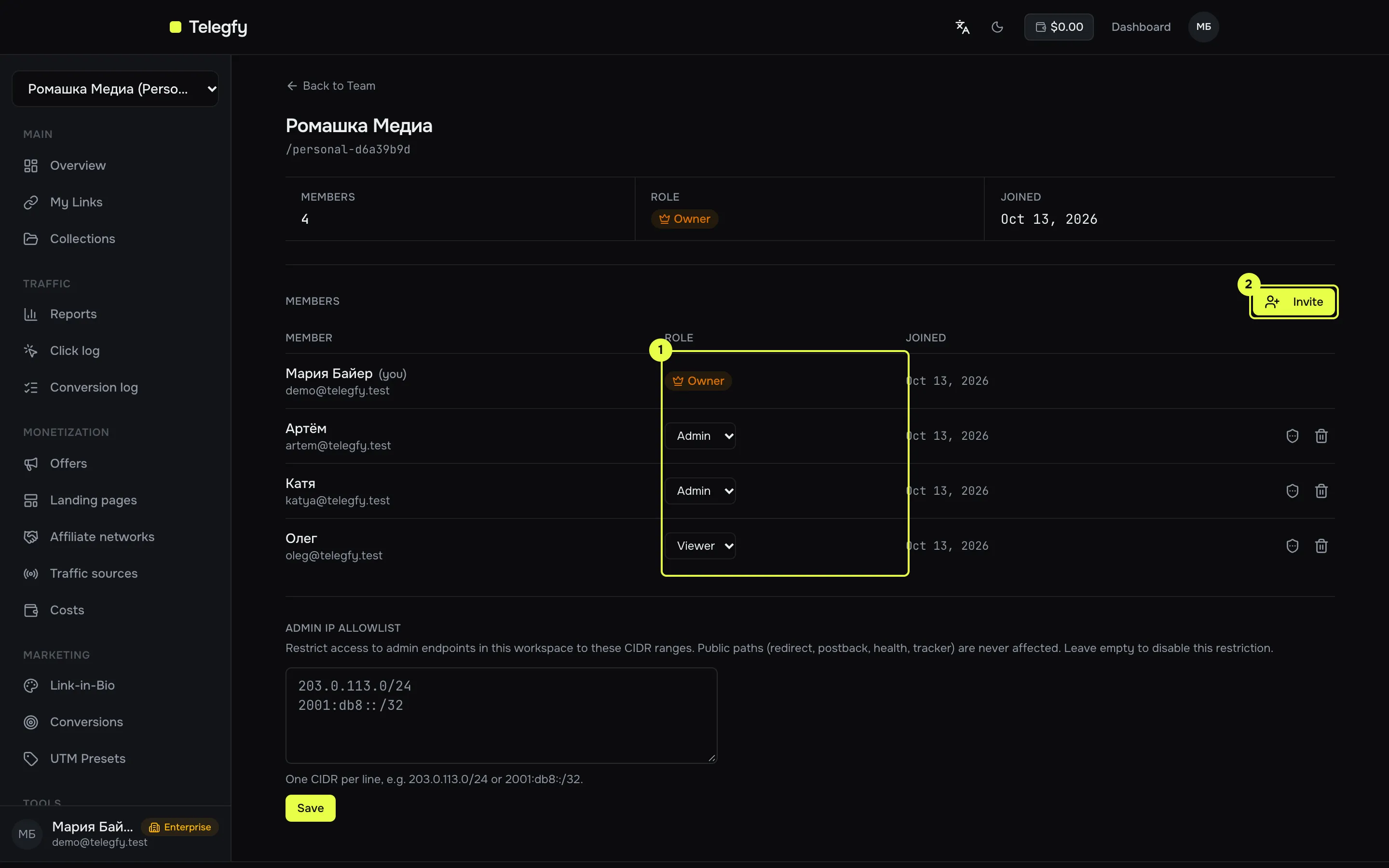
- Role — the owner changes it from a dropdown. Each member’s current role is shown.
- Invite — creates an invitation link. Owner only.
| Permission | Owner | Admin | Editor | Viewer |
|---|---|---|---|---|
| Links, offers, networks, traffic sources, costs, reports: read and change | yes | yes | yes | read only |
| Build and export reports | yes | yes | yes | yes |
Click simulator (POST /links/:code/simulate) |
yes | yes | yes | yes |
| Save reports and create dashboards | yes | yes | yes | no |
| Audit log | yes | yes | no | no |
| Invite, change roles, remove members | yes | no | no | no |
| Set member permissions (hide financials, own entities) | yes | no | no | no |
| Admin IP allowlist | yes | no | no | no |
| Delete the workspace | yes | no | no | no |
Invitations
Section titled “Invitations”The owner clicks “Invite” and fills in:
| Field | Values |
|---|---|
| Role | Admin, Editor or Viewer |
| Max uses | 1–100, empty = unlimited |
| Expires in (hours) | 1–720, default 72 |
The system creates a link of the form /dashboard/join/<token>. Only a signed-in user can accept it. On acceptance the user gets the role from the invitation. Open invitations are listed under “Active Invites”; you can copy or revoke them.
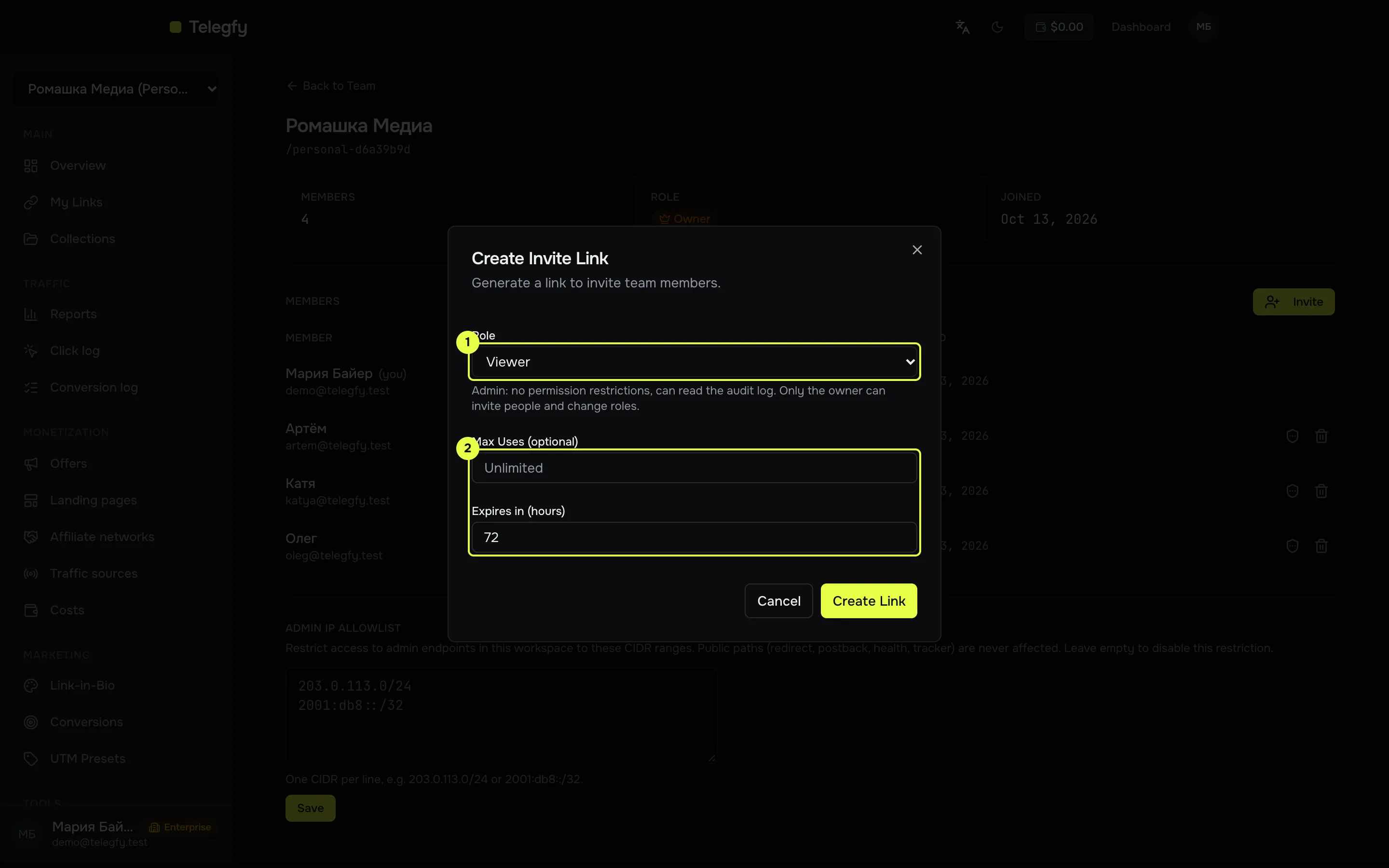
- Role — assigned to the new member on acceptance.
- Max uses — how many times the invitation can be accepted. Empty means unlimited.
Member limits by plan
Section titled “Member limits by plan”The limit counts all members, including the owner. Open invitations also take seats, so they are counted when a new invitation is created.
| Plan | Members per workspace |
|---|---|
| Free | 1 (owner only, no invitations) |
| Pro | 5 |
| Enterprise | unlimited |
Going over the limit returns error 402 “upgrade required” when creating an invitation or accepting one.
Multiple workspaces
Section titled “Multiple workspaces”- Only Enterprise can create a new workspace. The button is locked on other plans.
- Workspace limit per user: Free 1, Pro 1, Enterprise 10. The personal workspace counts.
- Switch with the “Switch” button in the list. The active workspace is marked “Active”.
Removing members and IP allowlist
Section titled “Removing members and IP allowlist”- Only the owner can remove a member. The trash icon is on the member’s row.
- The IP allowlist limits admin routes to a list of CIDR ranges. Public paths (redirect, postbacks, tracker, health) are not affected. Only the owner configures it. When enabled, requests with an API key are checked against it too. Add your server’s IP before you enable it, or your integrations will stop working.
Related
Section titled “Related”- Buyer access — per-member restrictions.
- API keys — keys act with their owner’s role in the workspace.