
Lists
Lists are an automatic traffic filter at redirect time. A blocklist cuts specific IPs, countries, referrers or sub ID values. An allowlist passes only what is listed. Tab: Automation → Lists.
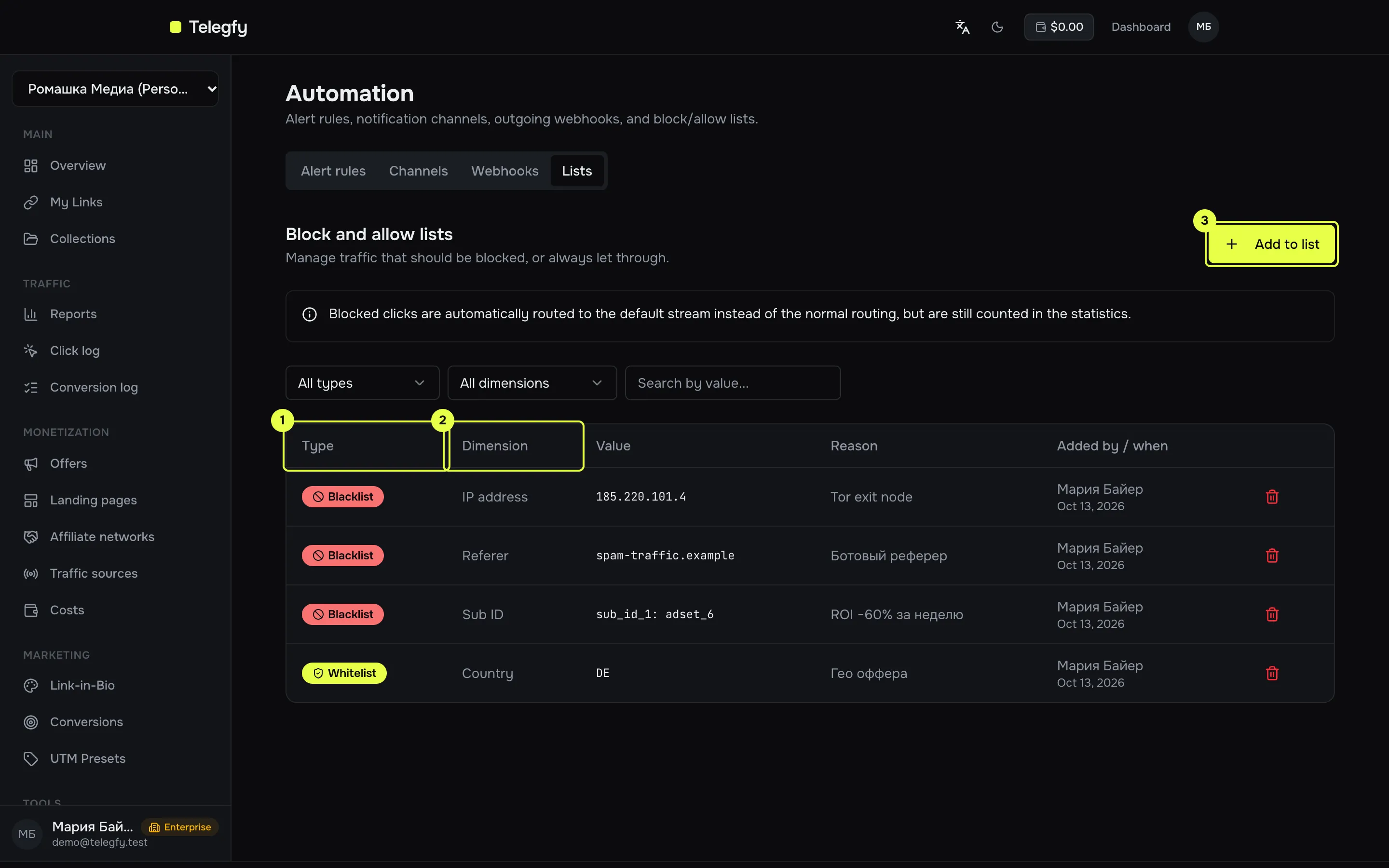
- Type and dimension — the Type and Dimension columns. Filters for both sit above the table.
- Value — what is compared with the click.
- Add to list — add one or many values at once.
Dimensions
Section titled “Dimensions”| Dimension | What is compared | Example value |
|---|---|---|
| Sub ID | Value of the sub_id_N parameter. The parameter name is set separately. |
sub1, trash_traffic |
| IP address | Click IP: exact address, CIDR or mask. | 192.0.2.1, 198.51.100.0/24 |
| Referer | Referrer domain. * works as a wildcard. |
spam-site.com, *.badnet.ru |
| Country | ISO-2 country code, case-insensitive. | RU, UA |
For sub ID the parameter name is required, for example sub_id_1. Without it the entry is not saved.
How blocking works
Section titled “How blocking works”- Entries are grouped by type, dimension and parameter name.
- Inside a blocklist, a click is blocked if it matches at least one value.
- An allowlist requires a match: a click is blocked if it matches none of the values in its group.
- Groups combine with AND: a click is blocked if any blocklist matches, or if it fails any allowlist.
What happens to a blocked click:
- Regular flows (geo, device, A/B, rotation) are skipped.
- Forced flows apply as usual.
- The default flow applies. If there is none, traffic goes to the link’s main URL.
- The click is still recorded in statistics. It is not lost.
Adding values
Section titled “Adding values”- Enter values one per line. The list type and dimension apply to the whole batch.
- The “Reason” field is optional. It helps you remember why something was added a month later.
- Values already on the list are skipped; the result shows how many were added and how many were skipped.
- A batch request accepts up to 500 entries.
Removing
Section titled “Removing”Delete an entry with the trash icon on its row. A removed value stops blocking after the cache refresh, within 5 minutes.
Access
Section titled “Access”Owners, admins and editors add and delete entries. Viewers see the list.
/api/v1/lists/entries — user session (JWT) only. API keys are not allowed. The list is paginated: page and limit (max 200); search by substring of the value with search.
Related
Section titled “Related”- Routing rules — lists do nothing without flows.
- Bot filtering — automatic bot filtering, separate from lists.
- Alert rules — automatic flow shutdown based on metrics.