
Conversion API
The Conversion API (CAPI) sends conversions from our server to an ad platform. The platform receives a “purchase” or “lead” event and matches it to the ad impression. No browser pixel is needed.
Open “CAPI integrations” (/dashboard/capi-integrations) and click “New integration”.
- Provider. Meta, TikTok or Google Ads.
- Credentials. The fields depend on the provider, see the tabs below.
- Status mapping. Map our statuses to the event names of the platform, for example
lead→Lead,sale→Purchase. A status with no mapping is not sent. - Active. Turn the integration on.
After saving, credentials are not shown. To replace them, click “Replace credentials” and enter the new values.
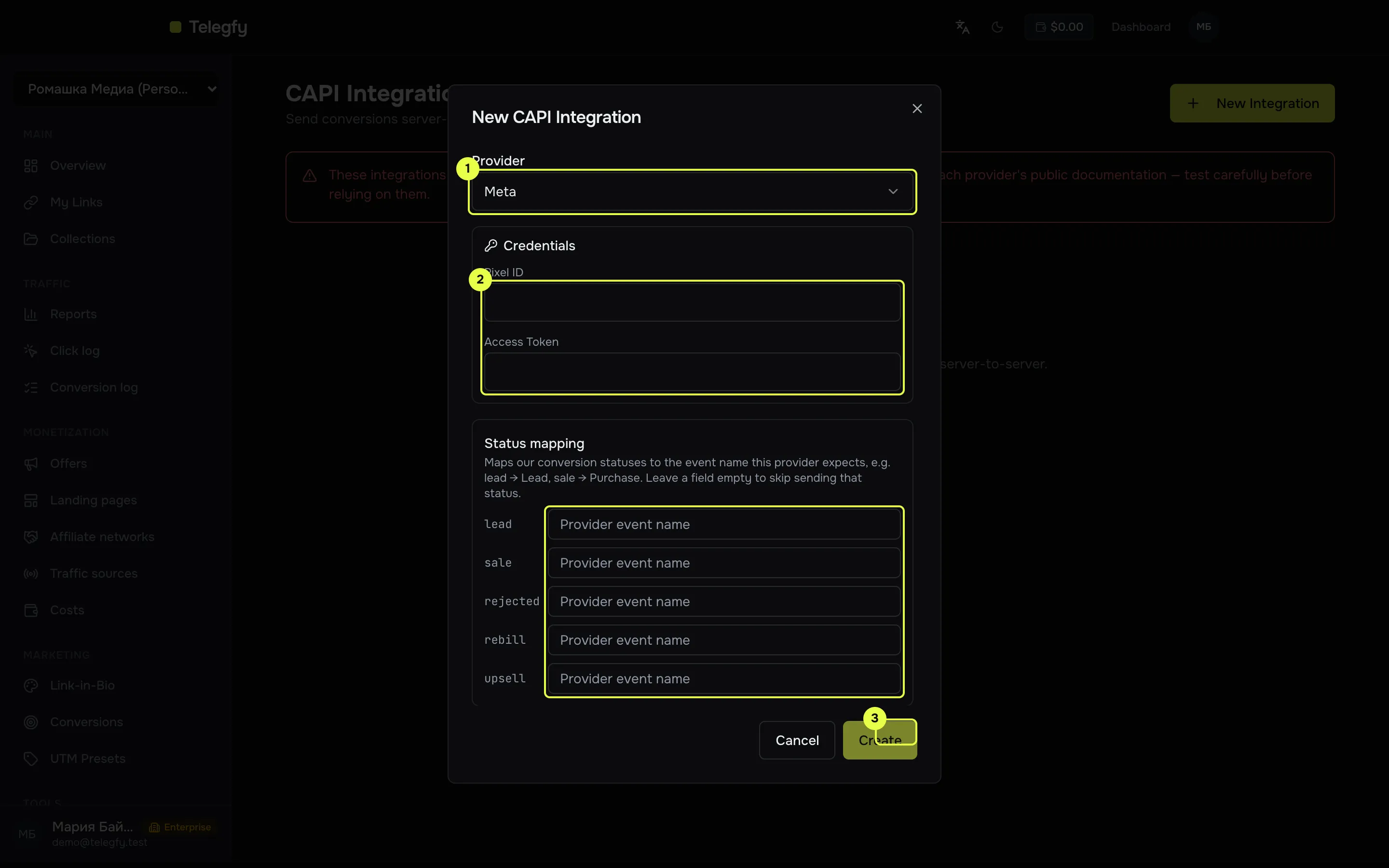
- Provider.
- The provider’s credentials.
- The Active switch.
Providers
Section titled “Providers”| Field | What to enter |
|---|---|
| Pixel ID | The pixel’s ID |
| Access Token | A Conversions API access token |
Events go to Graph API v26.0 at /{pixel_id}/events. The click stores the fbclid from the ad link. From it, an fbc value is built in the format fb.1.<time in ms>.<fbclid>. The visitor identifier is sent as the SHA-256 of our click id.
Telegfy does not send the visitor’s IP address or User-Agent. So Meta’s matching is weaker than with a pixel.
| Field | What to enter |
|---|---|
| Pixel Code | The pixel code (Events API) |
| Access Token | An access token |
Events go to Events API v1.3 (event/track). The click stores the ttclid from the ad link. It is needed for matching. Without it, the event is matched weakly.
| Field | What to enter |
|---|---|
| Customer ID | The account ID without dashes |
| Conversion Action ID | The ID of the conversion action in Google Ads |
| Developer Token | The developer token |
| OAuth Client ID and Client Secret | The credentials of the OAuth app |
| Refresh Token | A long-lived refresh token |
| Login Customer ID | The manager (MCC) account ID. Optional. |
Events go to Google Ads API v25 (uploadClickConversions). Telegfy gets a short-lived access token from the refresh token by itself. One rule: only a conversion with a gclid is sent. If the click has no gclid, the event is skipped.
What is sent and when
Section titled “What is sent and when”- For each conversion with a mapped status, one send is created per integration. Repeats of the same pair (conversion, integration, status) are not created again.
- Sending uses the same queue as outgoing postbacks: once a minute, up to 6 attempts.
event_idis stable across retries. The platform will not count one event twice.- A status with no mapping is not sent, and it is not logged as an error.
Common mistakes
Section titled “Common mistakes”- No
fbclid,ttclidorgclidon the click. Matching by click will not work. Check that the platform adds the parameter to the link address and that the link does not drop it on the way. Google needs auto-tagging. - The event does not match a goal. The status mapping uses a name the platform does not know. Check the event list in the platform’s account.
- Google rejects the event. The conversion action is not of type Import, or the refresh token is out of date.
Read next
Section titled “Read next”- Ad platform guides: how to pass fbclid, ttclid and gclid.
- Outgoing postbacks: the same queue and retries.
- Importing conversions: sending older conversions.