
Bot filtering
Bots and verification systems also follow links. Telegfy marks them when it records the click, but it does not block the redirect: the visitor goes to the same page as a real user. The click is simply marked and not counted as a live visit.
How a click is marked as a bot
Section titled “How a click is marked as a bot”The checks run in order. The first match marks the click:
| Reason in the log | What is checked |
|---|---|
empty_user_agent |
The User-Agent is empty |
ua_rule:<pattern> |
The User-Agent contains a substring from a custom rule |
headless_browser |
HeadlessChrome, PhantomJS, Puppeteer, Playwright |
known_bot_ua |
A User-Agent from the list of known bots |
datacenter_ip:<cidr> |
The IP is in a datacentre CIDR rule (IPv4 only) |
suspicious_headers |
No Accept-Language, and the User-Agent has no Mozilla |
What changes in statistics
Section titled “What changes in statistics”A bot click is recorded in the click log with a “bot” flag and device type bot. It:
- does not increase the link’s click counter;
- appears in reports when you choose the “Bot” filter.
The “Bot” filter in reports offers “All”, “Bots only” or “Exclude bots”.
Bot rules
Section titled “Bot rules”The “Bot rules” section (/dashboard/settings/bot-rules) lets you add your own rules: by User-Agent, by IP range (CIDR) or by ASN.
- Rules are global: they apply across the whole platform.
- Only a platform administrator can change them. A regular user sees a loading error.
- ASN rules are saved but not evaluated. Use CIDR.
- Changes do not apply at once: the cache refreshes every 5 minutes.
Click uniqueness
Section titled “Click uniqueness”Uniqueness is not about bots, but it affects the “Unique clicks” metric. The settings are in “Click intake” (/dashboard/settings/click-settings).
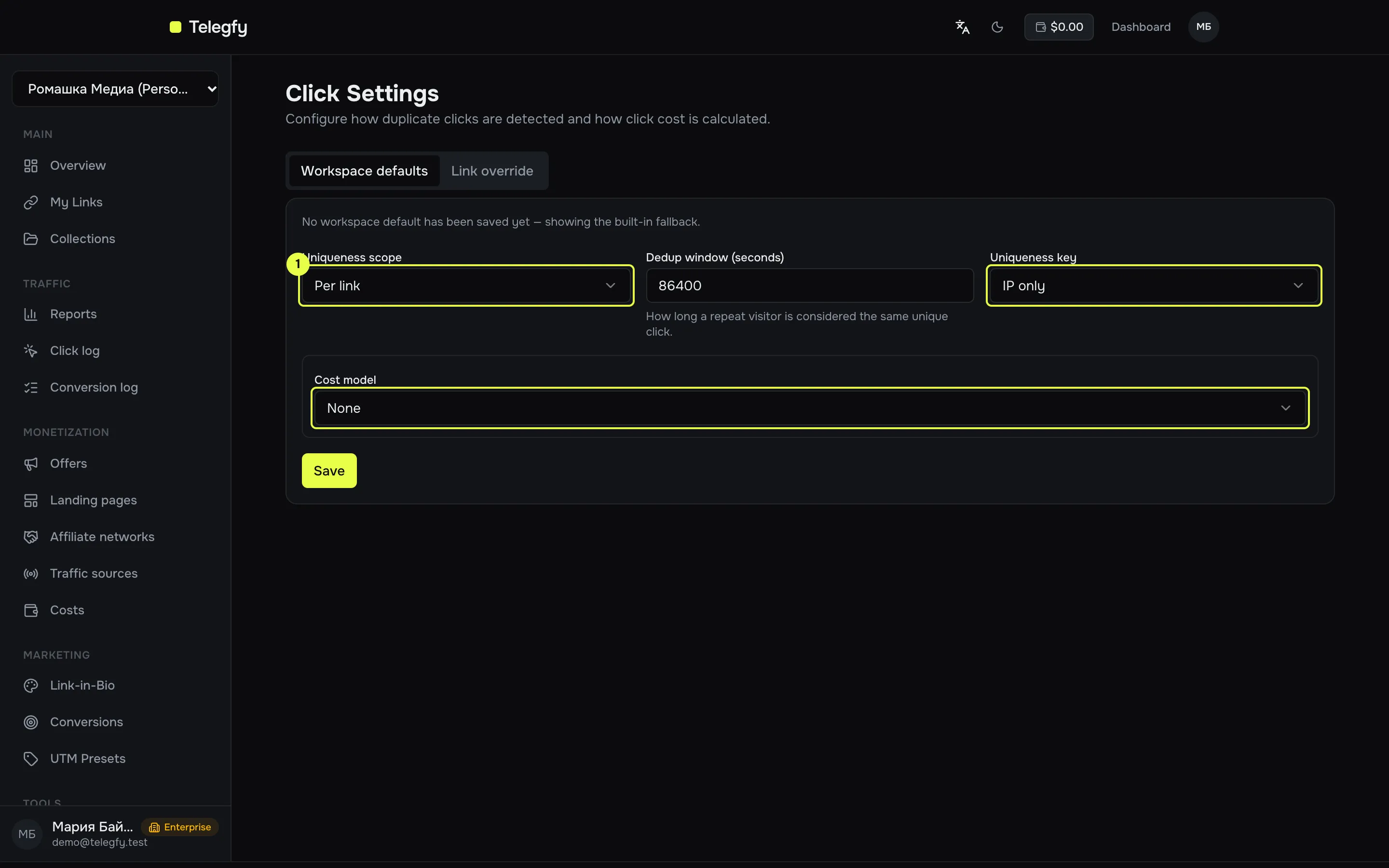
- Uniqueness scope, uniqueness key and cost model: dropdowns. The dedup window is a field next to them.
| Setting | Options | What it means |
|---|---|---|
| Uniqueness scope | Per link, Per campaign, Global | “Per link” counts repeats inside one link. “Per campaign” covers the whole workspace, since there is no separate campaign entity. “Global” covers the whole platform. |
| Dedup window | Seconds, from 0 to 31,536,000 | A repeat with the same key inside this window is not unique. Default 86,400 (one day). |
| Uniqueness key | IP; IP and User-Agent; IP, User-Agent and cookie | What counts as one visitor. |
You can set these for the workspace and override them for a single link. Only the link’s creator can change the override.
Common questions
Section titled “Common questions”- Why are bot clicks in the click log but not in the link’s counter? That is intended: the counter does not increase, and the log shows the click with a flag.
- Why are there few clicks in a report? Check the “Bot” filter and the uniqueness settings. Repeats inside the dedup window are not unique.
- Can I stop a bot before it gets the redirect? No. Telegfy marks bots, but the redirect always runs. Blocking by IP or User-Agent is done with a routing rule, see Routing rules and flows.
Read next
Section titled “Read next”- Routing rules and flows: IP and User-Agent conditions in rules.
- Currency rates: how click costs are converted.