
Incoming postbacks
An incoming postback is an S2S request from a network to our address when the customer has taken an action. This is how a conversion reaches Telegfy. The postback is sent from the network’s server to ours, so the visitor’s browser is not involved. Ad blockers and disabled cookies do not interfere.
Address
Section titled “Address”https://<domain>/postbackThe postback URL is visible in three places: the “Affiliate networks” table (the “Postback URL” column with a copy button), the network’s edit dialog (“Our postback URL”), and the “Conversions” page for each goal. A goal’s URL already contains goal=<key>. Both GET (parameters in the address) and POST (JSON or form-urlencoded) work. No login is needed. Protection is based on the click id, a secret and IP checks (see postback security).
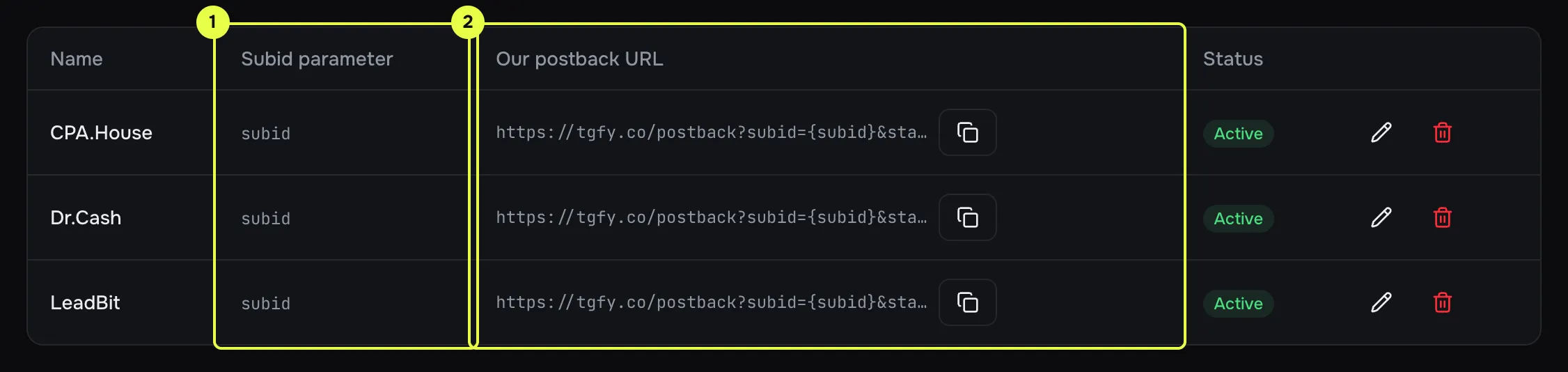
- Subid parameter: the name in which the network passes the click id.
- Postback URL with a copy button.
Parameters
Section titled “Parameters”| Parameter | What is accepted | Required |
|---|---|---|
subid |
The click id: a UUID of the click. sub_id, click_id and _la_ct are also accepted (the first non-empty one is used). |
Yes |
status |
lead, sale, rejected, rebill, upsell, or the network’s statuses through the dictionary. Case does not matter. |
No |
payout |
The payout amount. Dot or comma as the decimal separator (10,5 = 10.5). |
No |
currency |
A three-letter currency code. Converted to upper case and not validated. | No |
tid |
The transaction ID from the network. Needed for deduplication. | Recommended |
goal |
The goal key. Without it, the workspace’s first active goal is used. | No |
network_id |
The network’s ID. Selects the network’s status dictionary. Without it, the click’s offer is used. | No |
sign, signature, hmac |
A signature, if protection is enabled. | If enabled |
All parameters are stored raw together with the conversion. This helps when you investigate a disputed case.
Statuses
Section titled “Statuses”The status in the postback is mapped to one of our five statuses:
- if the status is in the network’s dictionary, we use that mapping;
- if not, the default dictionary applies:
approvedandconfirmedbecome sale,pendingandholdbecome lead,declinedandfraudbecome rejected; - if the status is not recognised, the conversion is recorded as a lead and flagged in the log.
The full dictionary and instructions for your own mapping are in Networks and offers. You set the mapping in the network’s dialog, under “Status mapping”.
If no status is sent, the conversion is created as a lead.
Deduplication and updates
Section titled “Deduplication and updates”- With
tid. The key is the pair (goal,tid). A repeat with the same status and payout returnsduplicateand changes nothing. A repeat with a new status or payout updates the conversion, for example a lead becomes a sale. - Without
tid. One record per pair (goal, click) for leads, sales and rejections. A repeat with a new status updates the record, for example a lead becomes a sale. A late lead does not downgrade a sale. - Rebill and upsell without
tid. They are merged by (goal, click, status). Send each new payment with a uniquetid, otherwise it will not be recorded.
Responses
Section titled “Responses”Telegfy answers with HTTP 200 even when a conversion is not recorded. The reason is in the result field:
{"data":{"status":"ok","result":"accepted","conversionId":"..."}}result |
Meaning |
|---|---|
accepted |
A new conversion was recorded. |
updated |
An existing conversion was updated: new status or payout. |
duplicate |
An exact repeat. Nothing changed. |
click_not_found |
The click id is empty, not a UUID, or not found. |
goal_not_found |
The goal does not exist or is off, or the link is not in the goal’s collection. |
rejected |
The signature or IP check failed. |
error |
An internal error. The text is in the log. |
A 429 (Too Many Requests) response means the request was not processed and not logged. The limit is 6,000 requests per minute per IP.
Goals and plan
Section titled “Goals and plan”Every conversion goes to a goal. A goal is a conversion type with a key. See Goals.
- If the workspace has no goal at all, the first postback without
goalcreates a goal with the keyconversion. - Free allows one goal, Pro up to 20, Enterprise has no limit.
Inbound postbacks log
Section titled “Inbound postbacks log”The last 30 postbacks of the workspace are shown at the bottom of “Affiliate networks” (/dashboard/offers/networks). For each one you see the time, the result, a shortened click id, the parameters and the message.
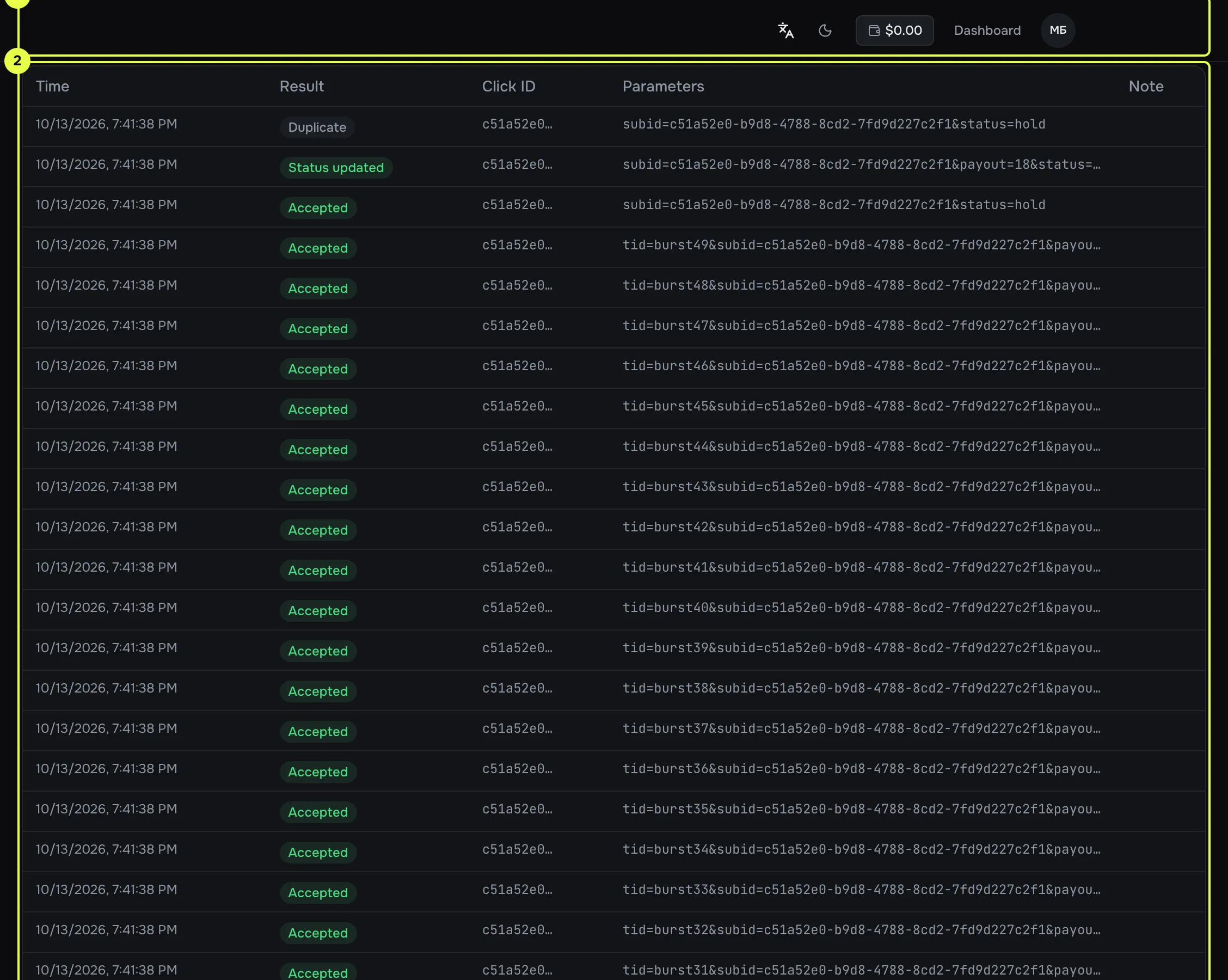
- Log heading and the Refresh button.
- Table: time, result, click id, parameters, message.
This log is the main place to check. If a conversion is missing, start here. For how to read the results, see Troubleshooting.
Read next
Section titled “Read next”- Postback security: signatures and IP lists.
- Any network via S2S: building the URL for a specific network’s macros.
- Goals: goal keys and a separate URL for each goal.