
TikTok Ads
The scheme is the same as for Facebook: the Telegfy link is the destination address, TikTok labels go into sub_id values, and conversions go back to TikTok through the Events API. The differences are in the macros and in what TikTok calls each ID.
TikTok macros
Section titled “TikTok macros”| Macro | What is filled in | Note |
|---|---|---|
__CAMPAIGN_ID__ |
Campaign ID | |
__CAMPAIGN_NAME__ |
Campaign name | |
__AID__ |
ID of the ad group | Not the ad ID |
__AID_NAME__ |
Ad group name | |
__CID__ |
ID of the creative | Not the ad ID |
__CID_NAME__ |
Creative name | |
__ADID_V2__ |
Ad ID | Smart+ only |
__ADID_V2_NAME__ |
Ad name | Smart+ only |
__PLACEMENT__ |
Placement: TikTok or TikTok Pangle |
A common mix-up: __AID__ is the ad group, not the ad, and __CID__ is the creative. The ad’s own ID comes from __ADID_V2__, but only in Smart+ campaigns.
The link in Telegfy
Section titled “The link in Telegfy”Create the link under “My Links” → “Create Link”. Pick the TikTok Ads traffic source in the “Traffic source” field, if you have set one up.
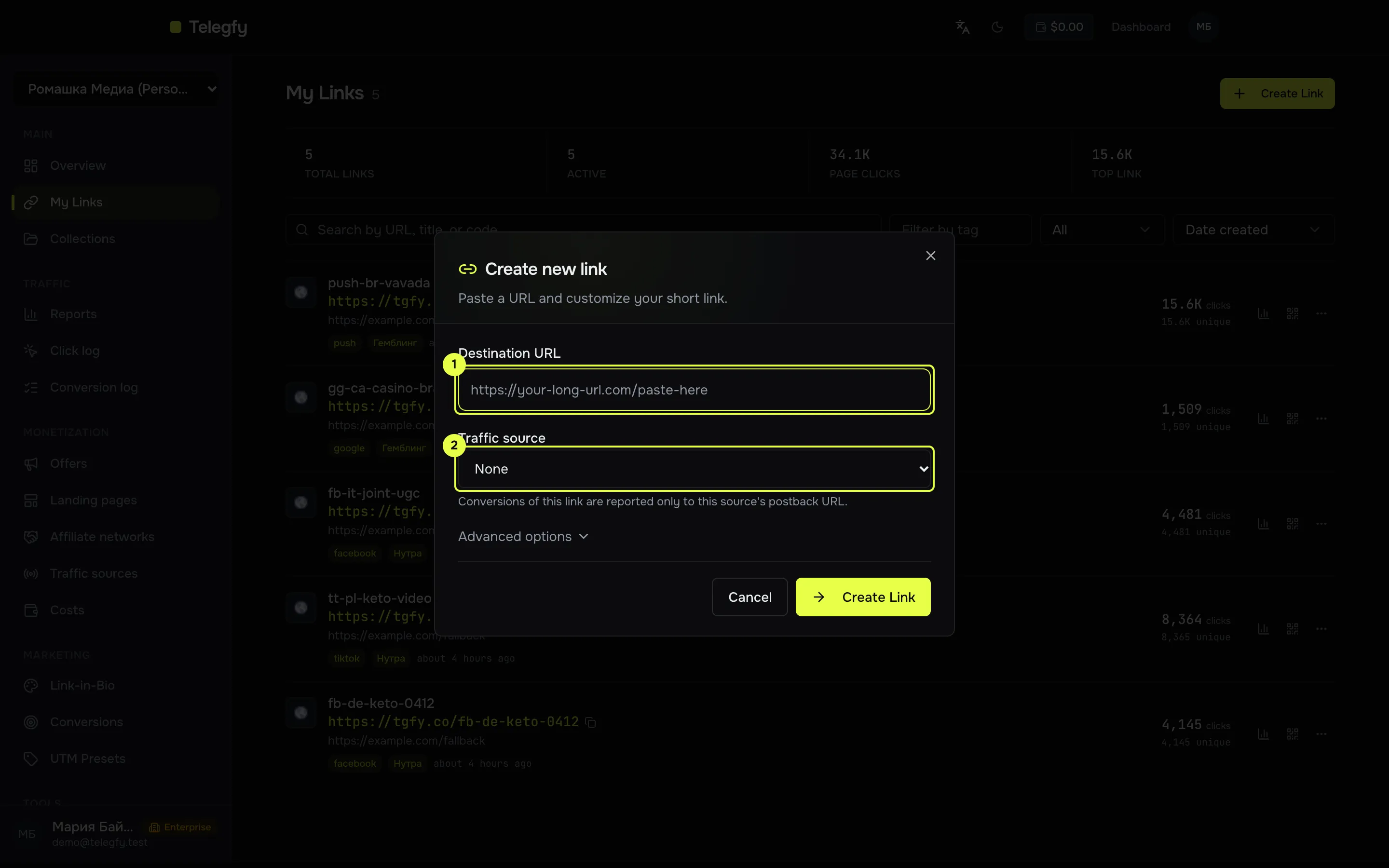
- Destination URL: the offer or landing address.
- Traffic source.
-
Create a link in Telegfy.
The short address
https://<domain>/<code>becomes the destination address in the ad. -
Put the address and parameters in the ad.
In TikTok Ads, enter the Telegfy link in the destination address field. Pass the labels as parameters of the address:
https://<domain>/<code>?sub_id_1=__CAMPAIGN_ID__&sub_id_2=__AID__&sub_id_3=__CID__&sub_id_4=__PLACEMENT__If the account offers automatic UTM tagging (
utm_source,utm_medium), turn it on. TikTok recommends it. Theutm_*parameters are stored on the click. -
Set up the Events API (optional).
“CAPI integrations” → “New integration” → TikTok. Enter the Pixel Code and the Access Token. Map the statuses to events, for example
sale→CompletePayment. Check the event names in TikTok Events Manager. -
Check.
Open the link in a browser on a mobile device. In the click log (Pro) confirm that
sub_id_1is filled in. Send a test conversion through the network’s postback.
ttclid
Section titled “ttclid”Matching events in TikTok needs ttclid. Telegfy stores it on the click when it is in the address. It is believed that TikTok adds it to the link by itself, but we did not find official confirmation.
Common mistakes
Section titled “Common mistakes”__AID__is empty in reports. The macro was not filled in. Check that the macro is written with two underscores on each side.- Labels show the wrong object.
__AID__and__CID__are not the ad ID. See the table above. - The Events API rejects the event. Check the event name and the mapping. The integration has not been tested against the live API, see Conversion API.
Read next
Section titled “Read next”- Conversion API: setting up and the limits of each integration.
- Campaigns and links: how sub_ids work.
- Facebook Ads: the same scheme for Meta.