
Networks and offers
An affiliate network (AN) is the company that pays for conversions. An offer is one specific proposition from that network: a link, countries and a payout. Create the network first, then the offers that belong to it.
Affiliate network
Section titled “Affiliate network”Open “Affiliate networks” (/dashboard/offers/networks) and click “New network”.
| Field | What to enter |
|---|---|
| Name | As shown in the network’s account |
| Subid parameter | The parameter name in which the network accepts and returns the click id. Default subid. |
| Postback template | A note for reference. Telegfy does not use it. |
| Active | An inactive network is hidden when you create offers. |
After saving, the edit dialog shows “Our postback URL”. Paste it into the network. For building this URL for an unusual network, see Any network via S2S.
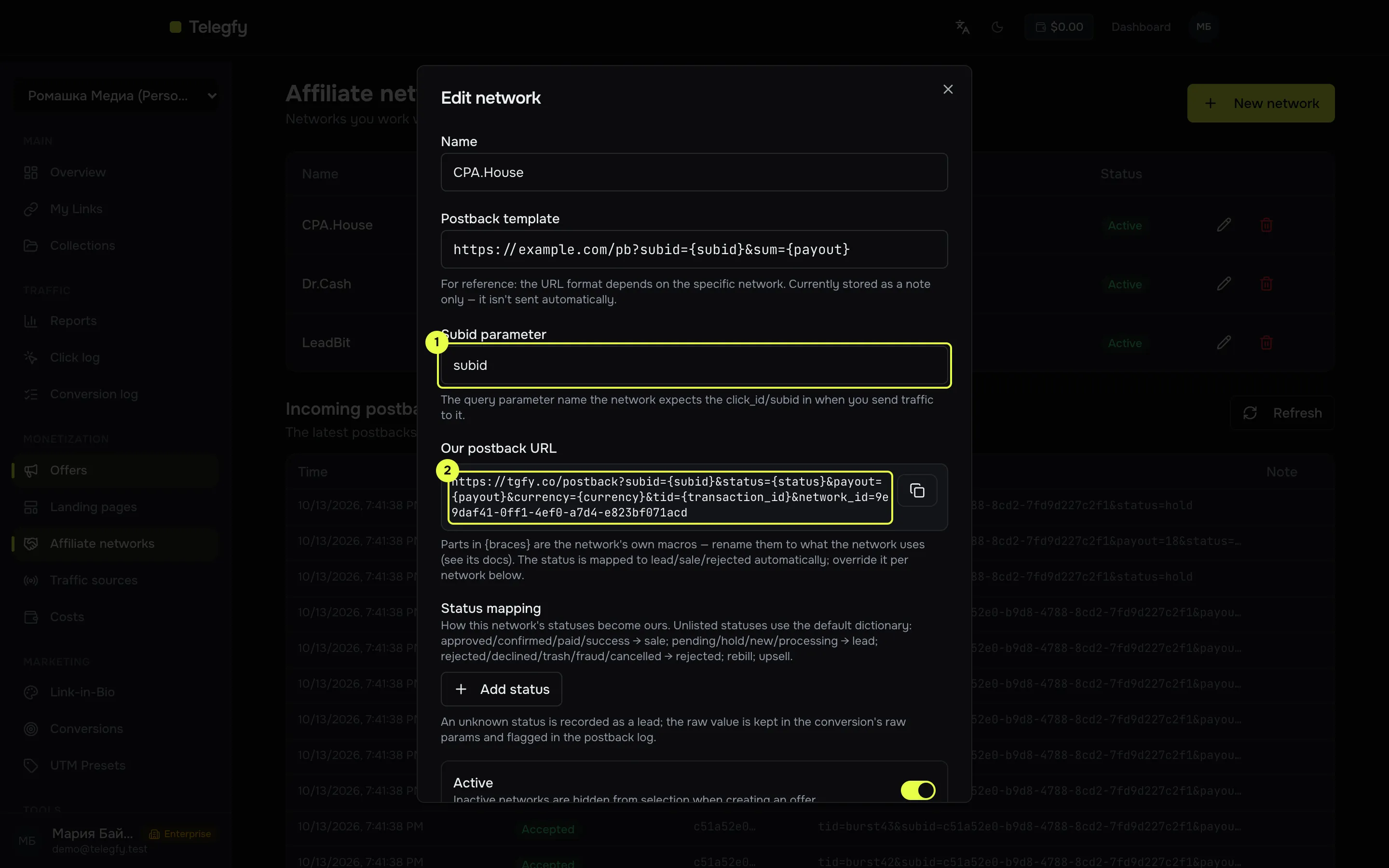
- Subid parameter. Must match the name the network returns in the postback.
- Our postback URL. Paste it into the network’s settings.
Conversion statuses
Section titled “Conversion statuses”A network sends its own statuses: approved, pending, declined and so on. Telegfy maps them to its five statuses: lead, sale, rejected, rebill and upsell.
Default dictionary
Section titled “Default dictionary”Case does not matter. A status that is not in the dictionary is recorded as a lead and flagged in the log.
| Our status | Network statuses by default |
|---|---|
Sale (sale) |
approved, approve, confirmed, sale, paid, success |
Lead (lead) |
pending, hold, lead, new, processing |
Rejected (rejected) |
rejected, declined, reject, trash, fraud, cancelled |
Rebill (rebill) |
rebill |
Upsell (upsell) |
upsell |
Your own dictionary for a network
Section titled “Your own dictionary for a network”If the network uses its own names or numbers, add the mapping in the network’s dialog under “Status mapping”. On the left, the network’s status. On the right, ours.
Examples:
approved_by_advertiser→ Saleon_hold→ Lead1→ Sale,0→ Rejected, if the network sends numbers
Your mapping overrides the default dictionary. It applies to one network. Telegfy identifies the network by the network_id parameter in the postback URL. If it is missing, the network is taken from the click’s offer.
Status changes
Section titled “Status changes”- A lead does not downgrade a sale: a late lead after a sale changes nothing.
- A status can move forward, for example sale → rejected after a refund. The conversion is updated. Revenue in reports counts only sales, rebills and upsells, so a rejected sale drops out of revenue.
Offers
Section titled “Offers”Open “Offers” (/dashboard/offers) and click “New offer”.
| Field | What to enter |
|---|---|
| Name | For you, for example “Keto Slim — DE” |
| Network | The network from the list. Without a network the click id is added as _la_ct, which the network most likely will not return. Link offers to networks. |
| Offer URL | The link from the network’s account, with macros |
| Countries | For you and for reports. The rule does not check the country. |
| Payout and currency | The amount and currency, if the postback does not send them |
| Payout model | “Fixed” or “From postback” |
| Daily and total caps | Conversion limits (see below) |
| Group, notes | For you |
| Status | Active, Paused, Archived. The system sets Auto-disabled. |
Macros in the offer URL
Section titled “Macros in the offer URL”Macros use double curly braces. They are filled in when the visitor goes to the offer.
| Macro | Value |
|---|---|
{{click_id}} |
Click id |
{{country}}, {{city}} |
Country and city from the IP |
{{device}}, {{browser}}, {{os}}, {{language}} |
Device type, browser, OS, language |
{{ip_hash}}, {{visitor_id}} |
IP hash and visitor ID |
{{timestamp}}, {{random}} |
Unix time of the click and a random value |
{{postback_sign}} |
Signature for postback protection, see postback security |
{{sub_id_1}}, {{utm_source}} |
The value of an incoming link parameter with that name |
Things to know:
- An unknown macro is removed and becomes an empty string.
- Values are inserted without URL-encoding. If a value contains
&or a space, encode it yourself. - Put
{{click_id}}explicitly where the network expects the click id. That is more reliable than depending on the automatic parameter.
If the click id is not in the URL, Telegfy adds it for you under the name in “Subid parameter” of the network. For an offer without a network, _la_ct is used. So the network must return the same parameter in its postback.
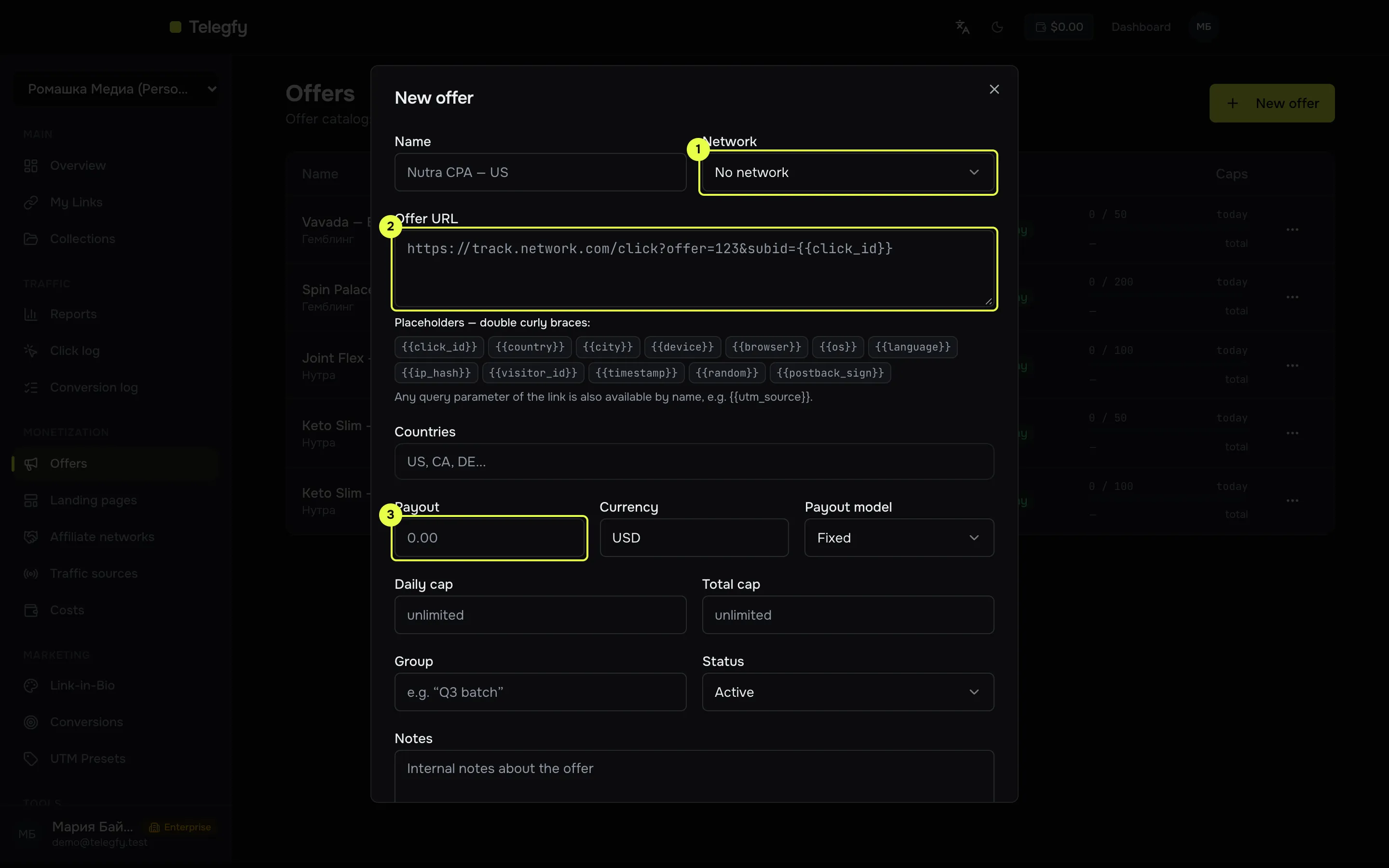
- Network: it sets the click id parameter.
- Offer URL with macros.
- Payout and currency.
Payout and revenue
Section titled “Payout and revenue”- The payout of a conversion comes from the network’s postback.
- If the postback has no payout and the offer uses the fixed model, reports use the offer’s current payout. So changing an offer’s payout re-prices conversions that came without a payout.
- The “From postback” model does no fallback: without a payout in the postback there is no revenue.
- Revenue counts sales, rebills and upsells. Leads and rejections are not revenue.
- Amount fields accept a comma:
10,5is saved as 10.5. So does the network’s postback.
Daily and total caps count conversions, not clicks. The daily cap resets at midnight UTC.
When a cap is reached, the offer drops out of rotation. The rule takes the next offer. If no offers are left in the rule, the click goes to the next rule or to the link’s destination URL.
Offer health
Section titled “Offer health”Every 10 minutes Telegfy checks the URLs of active offers and landings with a request. Macros in the URL are replaced with test. The network can see these check requests, so do not point an offer at a page where a check would create a real action.
| Event | What happens |
|---|---|
| First failure | The offer shows “Unreachable” and drops out of rotation. |
| Three failures in a row | Status Auto-disabled. Checks stop. |
| A successful check | Health returns to Healthy. Auto-disabling is not reversed. |
Turn an auto-disabled offer back on yourself: open the offer and set the status to Active.
Disabling by CR
Section titled “Disabling by CR”If an offer has at least 100 clicks and a conversion rate below 1%, it is disabled at the next conversion. The threshold cannot be changed. An offer with no conversions is not disabled by this rule.
Read next
Section titled “Read next”- Landings: pages in front of offers.
- Routing rules and flows: how an offer is chosen.
- Troubleshooting: if an offer switched itself off.