
Alert rules
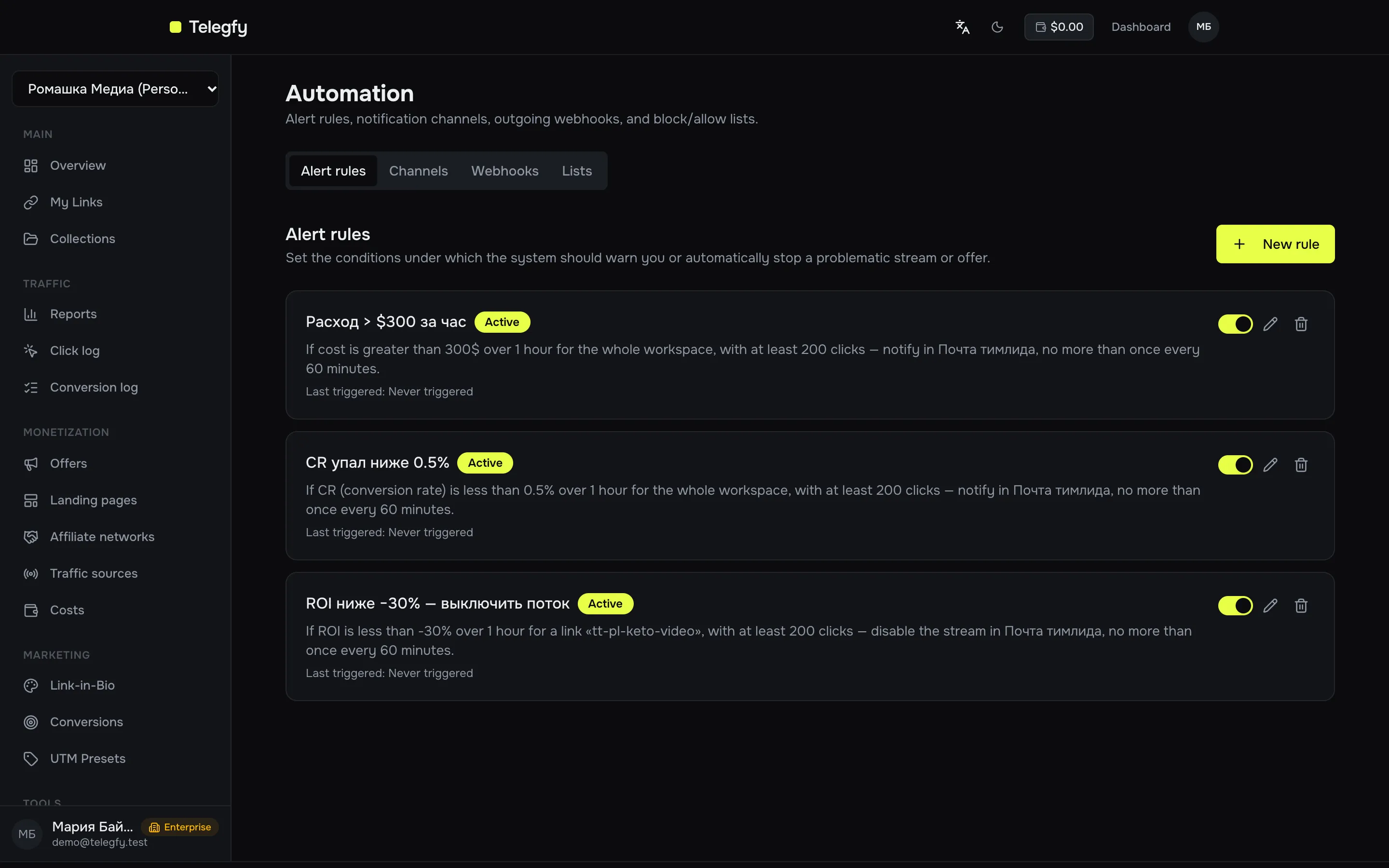
An alert rule is a condition of the form “if a metric drops below a threshold over a window, do this action”. For example: “if ROI on a link is below 0% over the last 2 hours with at least 300 clicks, notify Telegram and disable the flow”. You learn about a bleeding offer in time, without watching reports.
Tab: Automation → Alert rules. Conditions are checked every 5 minutes.
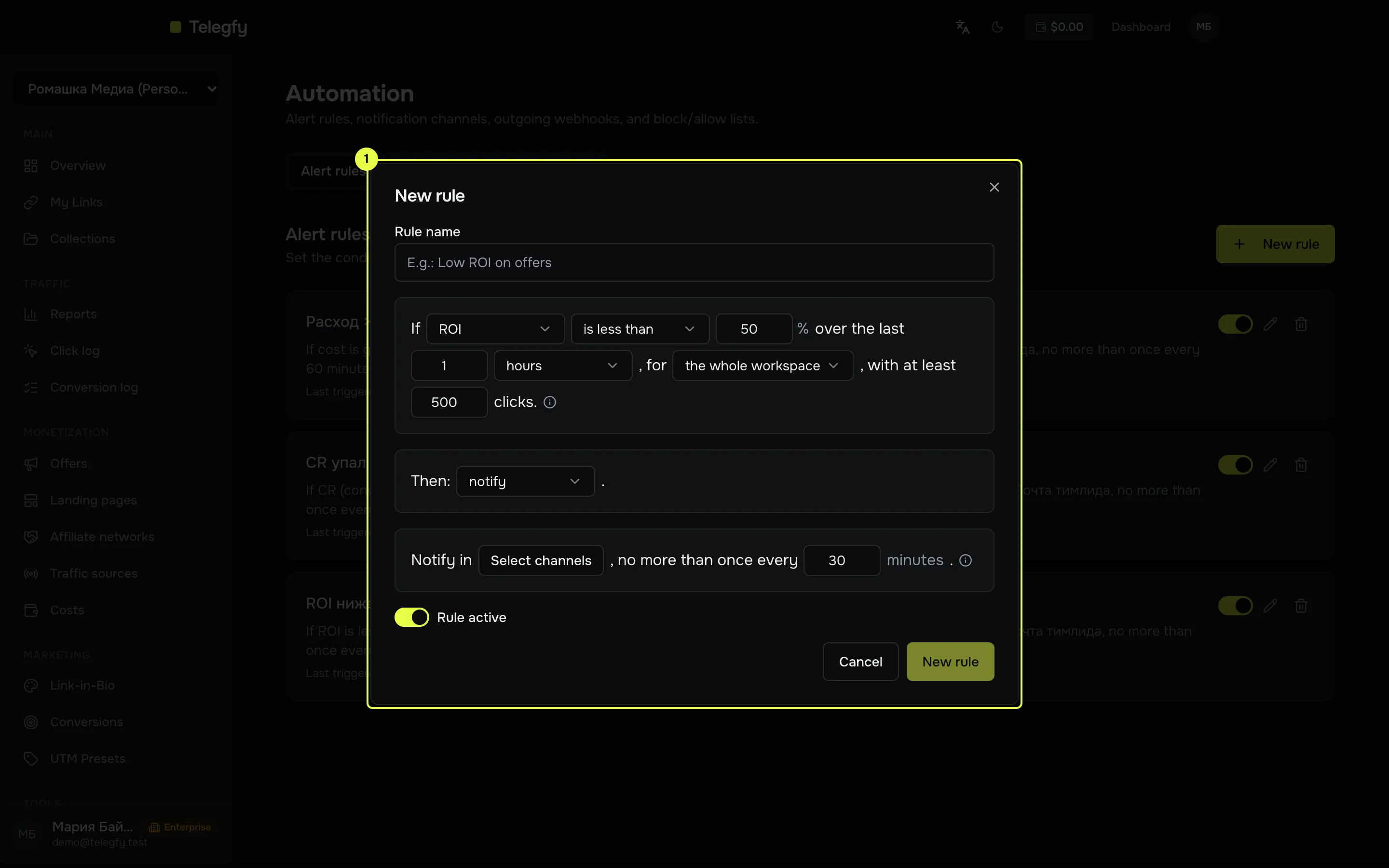
- Rule builder — one dialog sets the condition (metric, operator, threshold, window, breakdown), the minimum sample, the action and the channels. The sentence at the bottom builds the rule in plain words; read it before saving.
Metrics
Section titled “Metrics”| Metric | Meaning | Formula |
|---|---|---|
| ROI | Return on cost | (revenue − cost) / cost × 100% |
| CR | Conversion to lead or sale | (leads + sales) / clicks × 100% |
| EPC | Revenue per click | revenue / clicks |
| Clicks | Click count | count |
| Conversions | Conversions without rejected | total − rejected |
| Revenue | Payouts of approved conversions | sum, in base currency |
| Cost | Spend | manual records if present, otherwise the auto per-click cost |
| Postback failures | Failed outgoing postbacks to a traffic source | count, not percent |
| Offer health | Consecutive failed health checks of an offer | count, not percent |
Revenue counts only sale, rebill and upsell, as in reports. Manual cost and the auto per-click cost never add up: manual records win when present. See reports.
Operator and threshold
Section titled “Operator and threshold”Operators: less than (<), less than or equal (<=), greater than (>), greater than or equal (>=). There is no equals or not-equals.
The threshold is a number in the metric’s unit. For ROI and CR it is a percent; other metrics are absolute. For “Offer health” and “Postback failures” the threshold is a count, not a percent.
Window
Section titled “Window”- Time — minutes, hours or days, for example “last 2 hours”.
- Clicks — the last N clicks. For “Cost”, the window is the time interval those clicks cover.
Breakdown
Section titled “Breakdown”| Breakdown | What is checked |
|---|---|
| Whole workspace | All clicks and conversions |
| Link | One link |
| Offer | One offer |
| Traffic source | One source |
| Sub ID | Each value of the parameter separately, for example each sub_id_2 |
With sub ID, the rule is evaluated separately per value and each value has its own cooldown. This catches one bad creative among the good ones.
Valid metric and breakdown pairs
Section titled “Valid metric and breakdown pairs”| Metric | Breakdowns |
|---|---|
| ROI, CR, EPC, clicks, conversions, revenue, cost | whole workspace, link, sub ID |
| Postback failures | traffic source only |
| Offer health | offer only |
A pair not in this table is rejected when you save.
Actions
Section titled “Actions”| Action | What it does |
|---|---|
| Notify | Sends a message to all selected channels. |
| Disable flow | Turns off all flows of the link, including forced flows and the default flow. Traffic goes to the link’s main URL. Requires the “link” breakdown. |
| Disable offer | Sets the offer to auto_disabled with the reason “Disabled by alert rule”. Requires the “offer” breakdown, that is the “Offer health” metric. |
Minimum sample
Section titled “Minimum sample”The rule does not fire while the sample in the window is below the minimum. For ROI, CR, EPC, revenue and cost, the sample is the number of clicks. For postback failures, it is the number of postbacks. For offer health the sample is always 1, so set the minimum to 1.
Without a sample, “ROI below 50%” fires on the third click and gives a false alarm.
Cooldown
Section titled “Cooldown”The pause between repeated notifications for one rule (or one sub ID value). A 30-minute cooldown means at most one notification per half hour.
Channels
Section titled “Channels”Pick one or more channels. Channel setup is in notification channels. The rule cannot be saved without at least one channel in the UI.
What a notification looks like
Section titled “What a notification looks like”🚨 Alert: Low ROI on offersroi < 50 — actual: 37.2 (sample: 812)Scope: {"type":"link","linkId":"…"}Action: notifyFired at: 2026-10-13T09:15:00.000ZAccess
Section titled “Access”Owners, admins and editors create and change rules. Viewers can see the list but not change it.
Rules live under /api/v1/alerts/rules. Rules are not open to API keys; use a user session (JWT).
Related
Section titled “Related”- Notification channels
- Webhooks — the
alert_firedevent for your own server. - Lists — automatic traffic blocking, separate from alerts.