
Core concepts
Before you set up a flow, it helps to know what Telegfy calls things and how they connect.
Path of a click
Section titled “Path of a click”ad → short link → rule → (landing) → offer → network ↓report ← conversion ← incoming postback (S2S) ←┘ ↓outgoing postback to a traffic source and/or CAPI to an ad platform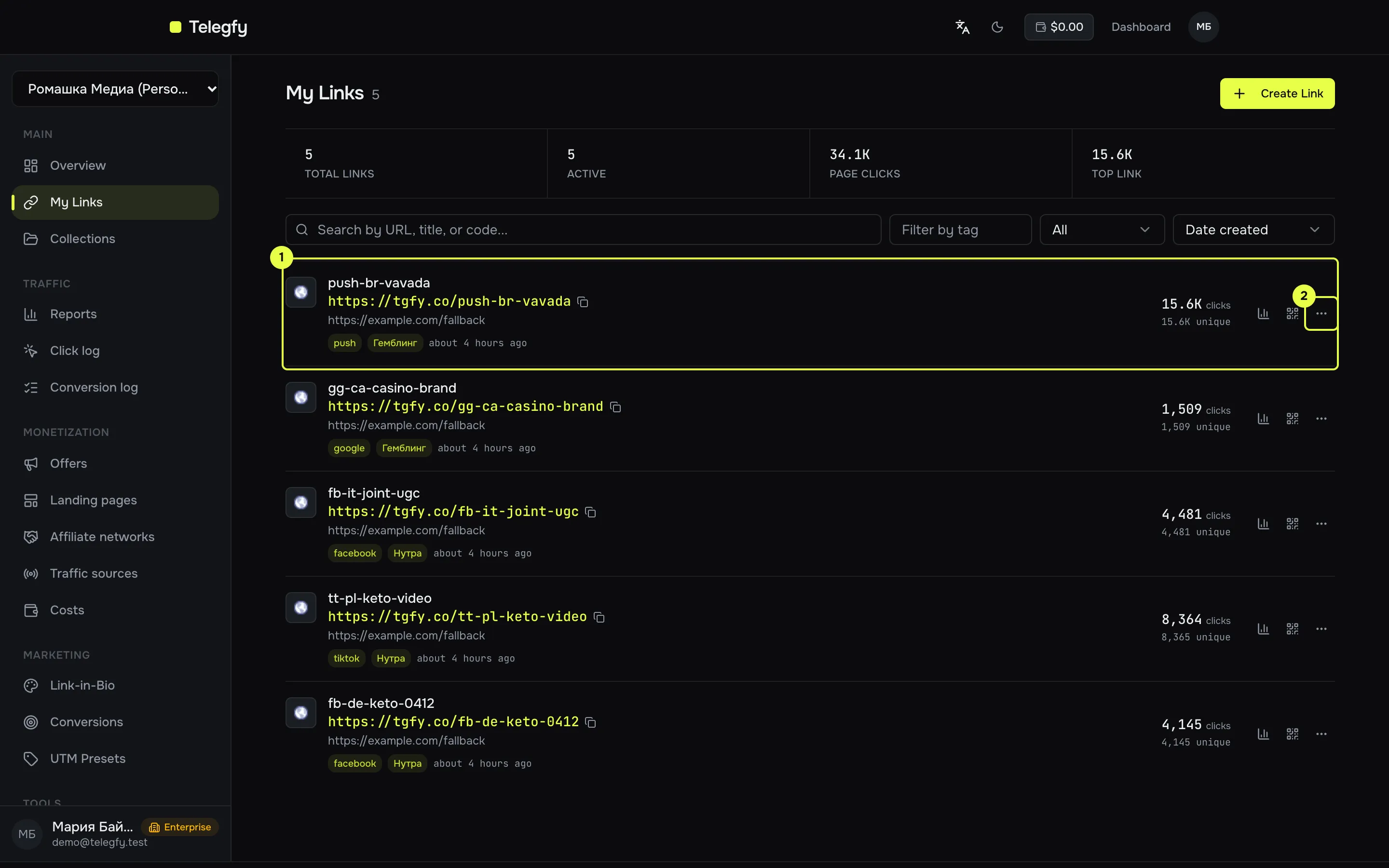
This is what a campaign link looks like in the interface: a row in “My Links” with its short address. The “…” menu leads to rules, analytics and editing.
| Term | What it is in Telegfy | Where in the UI |
|---|---|---|
| Click | One visit through a short link. Stored with its parameters, source, device, geo and sub_ids. | Click log |
| Click id | A UUID per click. Sent to the network through {{click_id}} in the offer URL and returned in the subid postback parameter. |
Offer URL, postback URL |
| Link (campaign) | The short link you put into an ad. The UI calls it “My Links”. In Telegfy terms, a “campaign” and a “link” are the same thing. | /dashboard/links |
| Collection | A folder of links. A conversion goal can be limited to a collection. | “Collections” |
| Rule | A condition and an action: geo, device, A/B test, rotation. A rule attaches a link to an offer or landing. | Routing rules |
| Flow | The type of rule and its place in the order of checks: forced, regular, default. | Routing rules |
| Offer | A network’s offer: URL, countries, payout, currency, caps, status. | Networks and offers |
| Network (AN) | The affiliate network that pays for conversions. It defines the subid parameter and the status dictionary. | “Affiliate networks” |
| Landing | A page in front of the offer: an external page that passes the visitor on. | Landings |
| Traffic source | Where Telegfy sends an outgoing postback about a conversion, usually an ad network. | Traffic sources |
| Conversion | An event from a network: lead, sale, rejected, rebill or upsell. | Conversion log |
| Goal | A conversion type with a key. The key is sent in the postback as the goal parameter. |
Goals |
| Incoming postback | An S2S request from a network to our /postback. |
Incoming postbacks |
| Outgoing postback | Our request to a traffic source when a conversion is recorded. | Outgoing postbacks |
| sub_id | Your labels on a link: sub_id_1 … sub_id_30 and any utm_*. They appear in clicks and reports. |
Reports |
| Cost | A manual entry or an automatic click price. | Costs |
Click id and sub_id are different things
Section titled “Click id and sub_id are different things”- Click id is created by Telegfy for every click. It lets the network return a conversion to the click. The
{{click_id}}macro is our click id. - sub_id is set by you in the ad link:
?sub_id_1=.... These are your labels: ad id, campaign id, placement. You see them in reports. - In an outgoing postback our click id is
{click_id}. To return a source’s own click id, pass it into the link assub_id_1and use{sub_id_1}in the postback.
Conversion statuses
Section titled “Conversion statuses”| Status | Meaning | Counts as revenue |
|---|---|---|
Lead (lead) |
Waiting for confirmation: pending, hold | No |
Sale (sale) |
Confirmed by the network | Yes |
Rejected (rejected) |
Cancelled, fraud, refund | No |
Rebill (rebill) |
Repeat payment on a subscription | Yes |
Upsell (upsell) |
An extra purchase | Yes |
For how a network’s statuses map to ours, see Networks and offers.
Metrics you will read every day
Section titled “Metrics you will read every day”- Clicks — every visit to a link. Unique — without repeats under the deduplication rule.
- Conversions — leads, sales and rejections, by status.
- Revenue — the sum of confirmed conversions (sale, rebill, upsell) in the base currency.
- Cost — manual cost or click price.
- ROI = (revenue − cost) / cost × 100%.
- CR = (leads + sales) / clicks × 100%.
- EPC = revenue / clicks. CPC = cost / clicks.
- Approve rate = sales / (sales + rejections) × 100%.
Read next
Section titled “Read next”- Quick start: put these terms into practice.
- Routing rules and flows: how a rule chooses an offer.