
Conversion log
The conversion log lists every conversion the tracker received through a postback, the API, an import or tracking. Use it to check whether a network postback arrived, and why a sale is stuck as a lead.
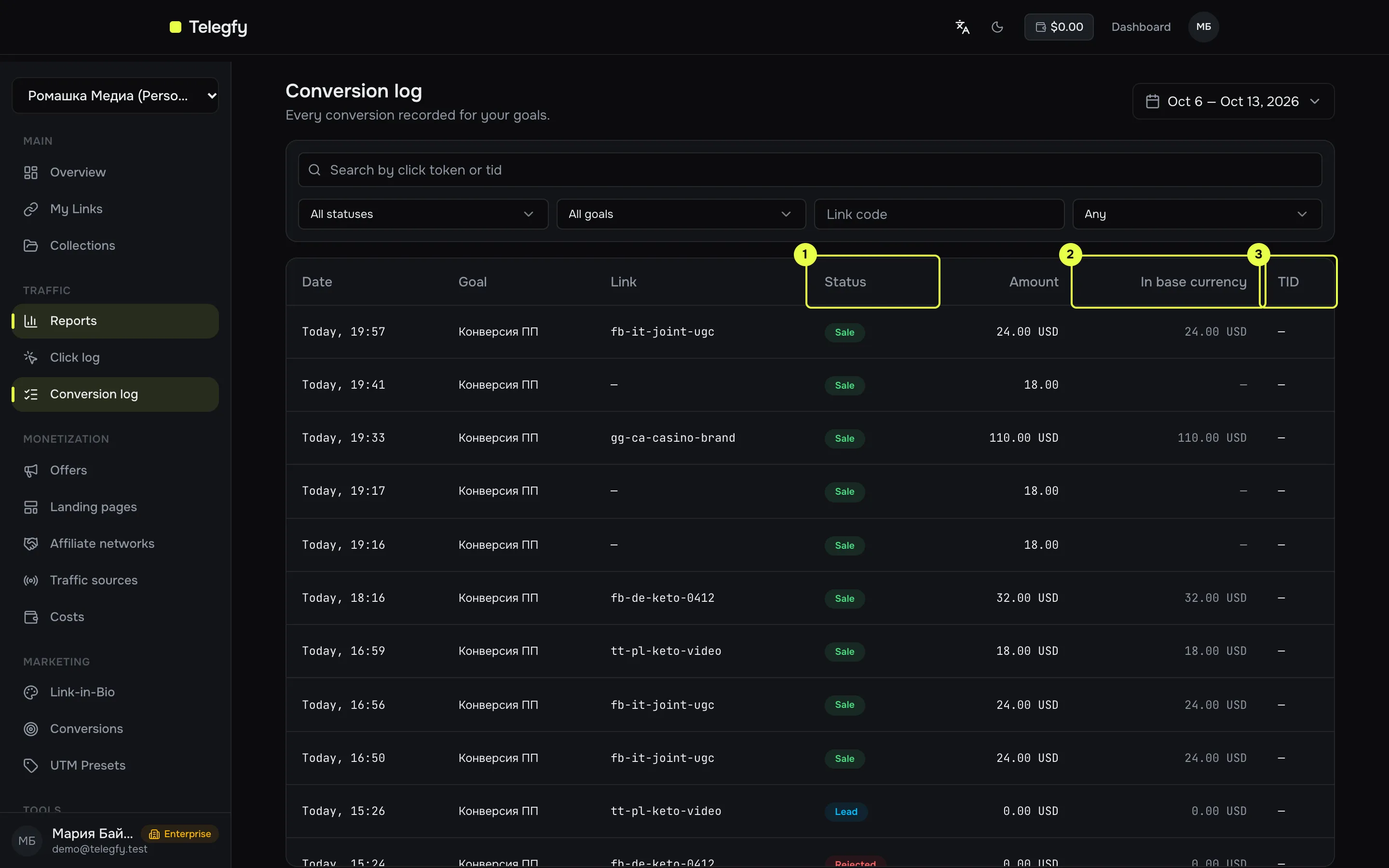
- Status —
Lead,Sale,Rejected,Rebill,Upsell. It changes when a postback with a new status arrives. - In base currency — the amount converted to USD (or the workspace base currency) at the conversion date. Reports use this value.
- TID — the transaction ID from the network. The tracker uses it to avoid double-counting.
Columns
Section titled “Columns”| Column | Meaning |
|---|---|
| Date | When the conversion was recorded. |
| Goal | Goal name (see goals). |
| Link | Code of the link the click came through. |
| Status | Current status. |
| Amount | Payout in the currency the network sent. |
| In base currency | Amount in the workspace base currency. |
| TID | Transaction ID from the postback. |
Filters
Section titled “Filters”- Search — exact match on TID or click token.
- Status — all, or one status.
- Goal — all goals, or one.
- Link code — conversions for one link.
- Has TID — any, with TID, without TID. “Without TID” helps find conversions you cannot reconcile with the network.
Default period is 7 days, 25 rows per page.
What the log does not show
Section titled “What the log does not show”- No CSV export.
- The payout field (
payout) and the receiving channel (receivedVia) are not shown in the table. They are available through the API.
Access
Section titled “Access”A member with “Hide financials” sees clicks and conversions and statuses, but amounts, payouts and base-currency values are hidden. See buyer access.
GET /api/v1/analytics/conversions — reports:read scope. Parameters: from, to (by conversion date), status, goalId, code, hasTid, search, limit (max 500), offset.
Related
Section titled “Related”- Incoming postbacks — how conversions get into the log.
- Reports — aggregates over conversions.