
Landings
A landing is a page in front of an offer: a pre-lander, a quiz, a review article. Telegfy does not host landings. You enter the landing URL, and Telegfy sends the visitor there. From there, the landing must send the visitor on to the offer.
Create a landing
Section titled “Create a landing”Open “Landing pages” (/dashboard/offers/landings) and click “New landing”.
| Field | What to enter |
|---|---|
| Name | For you, for example “Pre-lander «Doctor review»” |
| URL | The page address. It can contain {offer_url}, see below. |
| Active | An inactive landing does not take part in rotation |
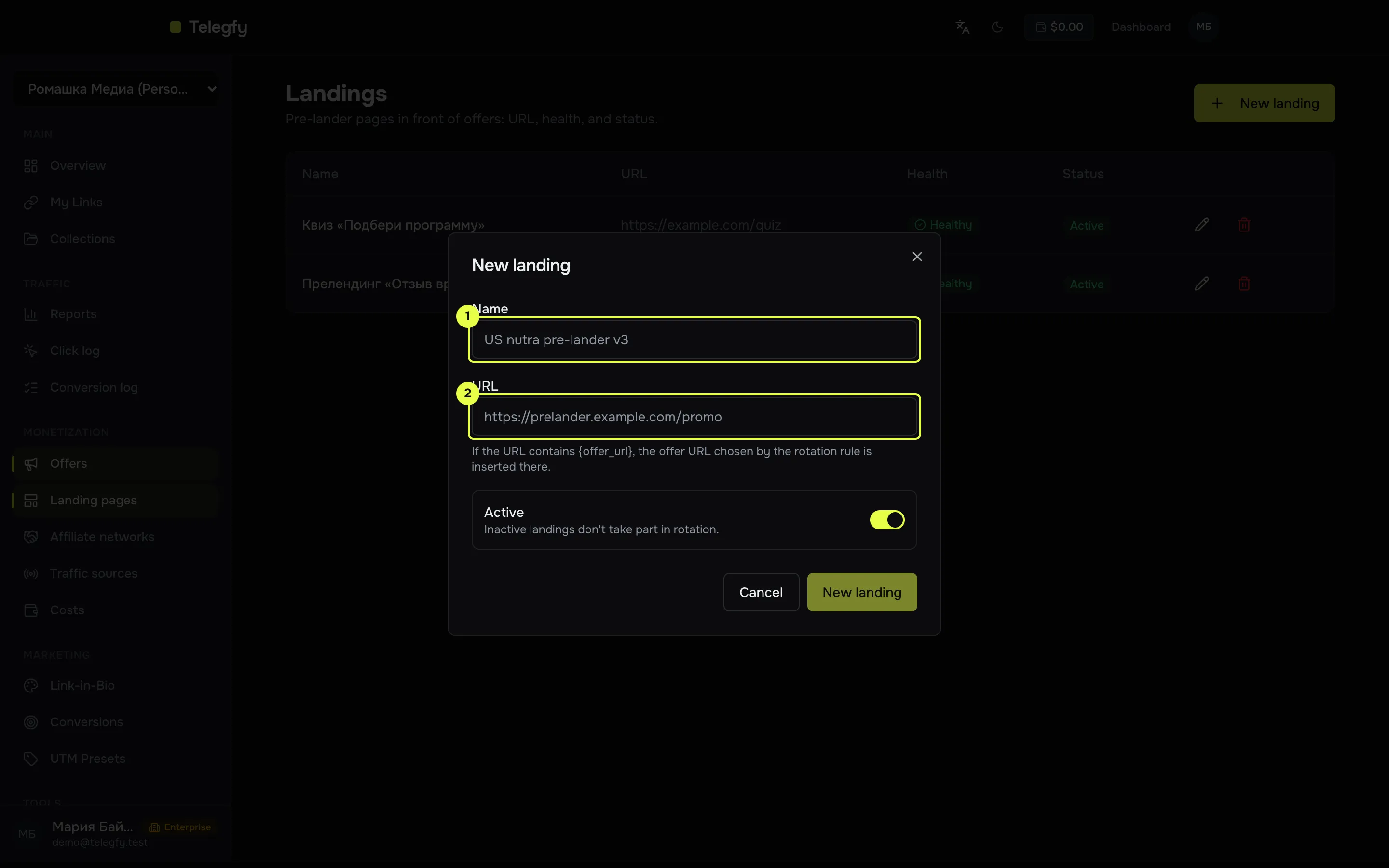
- Name.
- Landing URL: can include
{offer_url}.
How the offer is passed on
Section titled “How the offer is passed on”The offer reaches the landing in one of two ways.
-
The
{offer_url}macro in the landing URL. Telegfy replaces it with the offer URL, URL-encoded. The macro uses single curly braces:https://land.example.com/review?next={offer_url} -
No macro. Telegfy adds an
offer_urlparameter with the offer address:https://land.example.com/review?offer_url=<offer address>
The landing page must read this address and send the visitor to the offer. If it does not, traffic stops on the landing. This is the most common reason for zero conversions when the postback itself works.
Use in a rule
Section titled “Use in a rule”Landings are used in a routing rule with the action “Landing + Offer”.
- You can add several landings and several offers. Give each one a weight.
- A landing and an offer are chosen by two independent draws. The pair stays with the visitor for 30 days.
- Without landings, traffic goes straight to the offer. The interface says so: “No landings — traffic goes straight to the offer.”
For more on rules, see Routing rules and flows.
Landing health
Section titled “Landing health”Landings are checked like offers: every 10 minutes a request is made, and macros in the URL are replaced with test.
- One or two failures in a row do not remove a landing from rotation.
- Three failures in a row set the status to “Unreachable”. The landing drops out of rotation.
- A successful check brings it back. Landings are never disabled automatically. Turn one off by hand when you no longer need it.
Common mistakes
Section titled “Common mistakes”- The landing does not pass the visitor on. Check the redirect by clicking through yourself.
- No
offer_urland no{offer_url}. Telegfy has no way to tell the landing where the offer is. - An inactive landing in the rule. It does not take part in rotation, so traffic goes only to the offer.
- A typo in the landing URL. Check that the page opens at the address you entered.
Read next
Section titled “Read next”- Networks and offers: setting up the offer.
- Routing rules and flows: attaching a landing to a rule.