
Costs
Costs are what you pay for traffic: ad budgets on Facebook, TikTok, Google, push networks. Without costs, reports show revenue but no profit or ROI. The Costs section (/dashboard/costs) stores manual records. There is a second model, the auto per-click cost, described below.
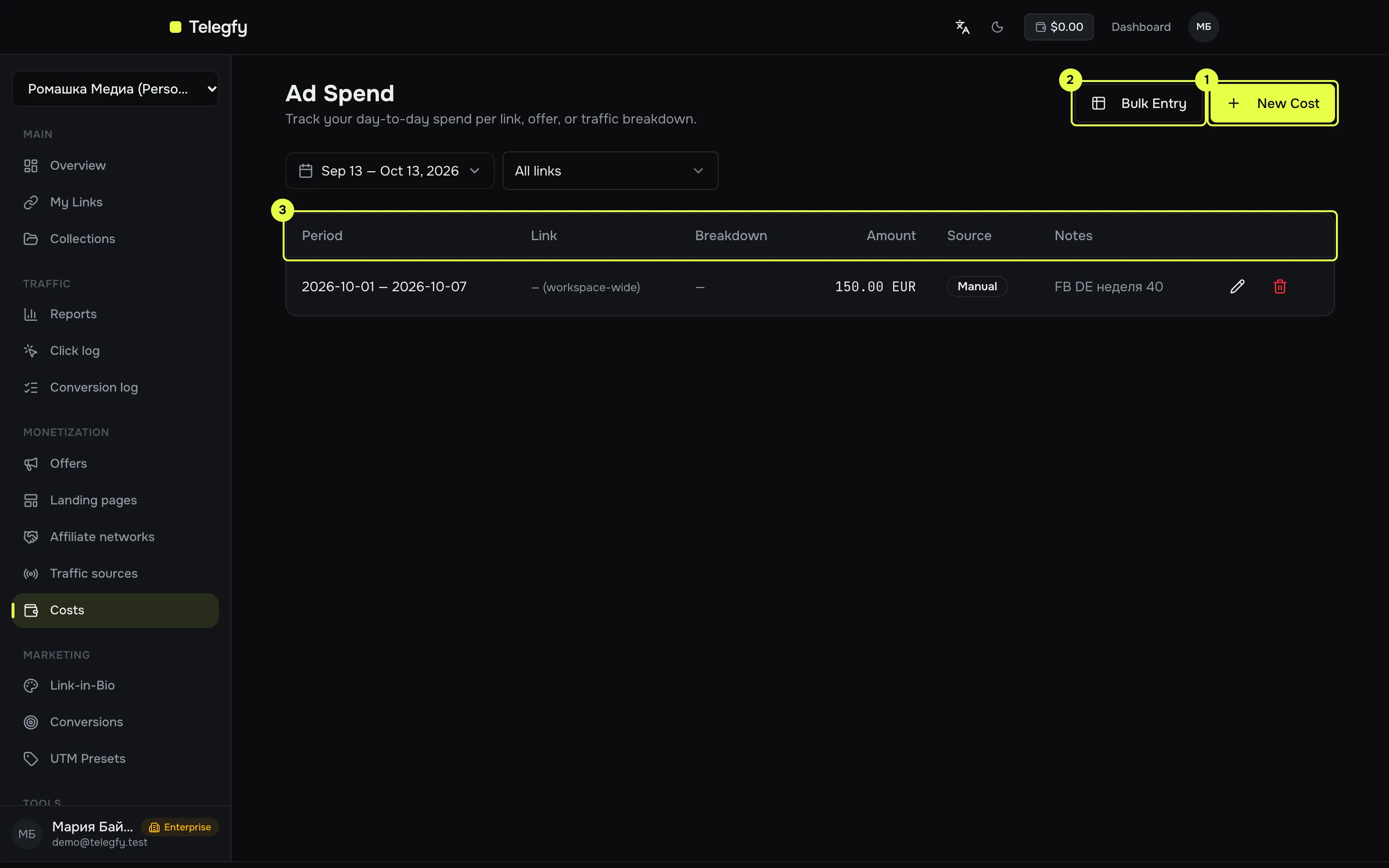
- New Cost — one record: link, period, amount, currency, breakdown.
- Bulk Entry — paste from Excel or Google Sheets, one row per day.
- Table — records with period, link, breakdown and source (
ManualorAPI).
Manual record
Section titled “Manual record”| Field | What to enter |
|---|---|
| Link | A specific link, or “No link (workspace-wide)”. |
| Date | Start of the period. The checkbox “This cost spans multiple days” reveals an “End date”. |
| Breakdown key | For example sub_id_2. Use it when the cost belongs to an ad or creative. |
| Breakdown value | For example ad_12345. Must match the sub_id value on clicks. |
| Amount | Number, up to two decimals. |
| Currency | Three-letter code, USD by default. |
| Notes | Free text, up to 1000 characters. |
Bulk entry
Section titled “Bulk entry”Copy the table from Excel or Google Sheets and paste it into the Bulk Cost Entry dialog. Columns must be in this order:
| # | Column | Format |
|---|---|---|
| 1 | Date | YYYY-MM-DD |
| 2 | Link | link code, can be empty |
| 3 | Breakdown key | for example sub_id_2 |
| 4 | Breakdown value | for example ad_12345 |
| 5 | Amount | number |
| 6 | Currency | three-letter code, USD by default |
| 7 | Notes | text |
Each row is one day. Errors are highlighted: invalid date, currency code not three letters, link code not found.
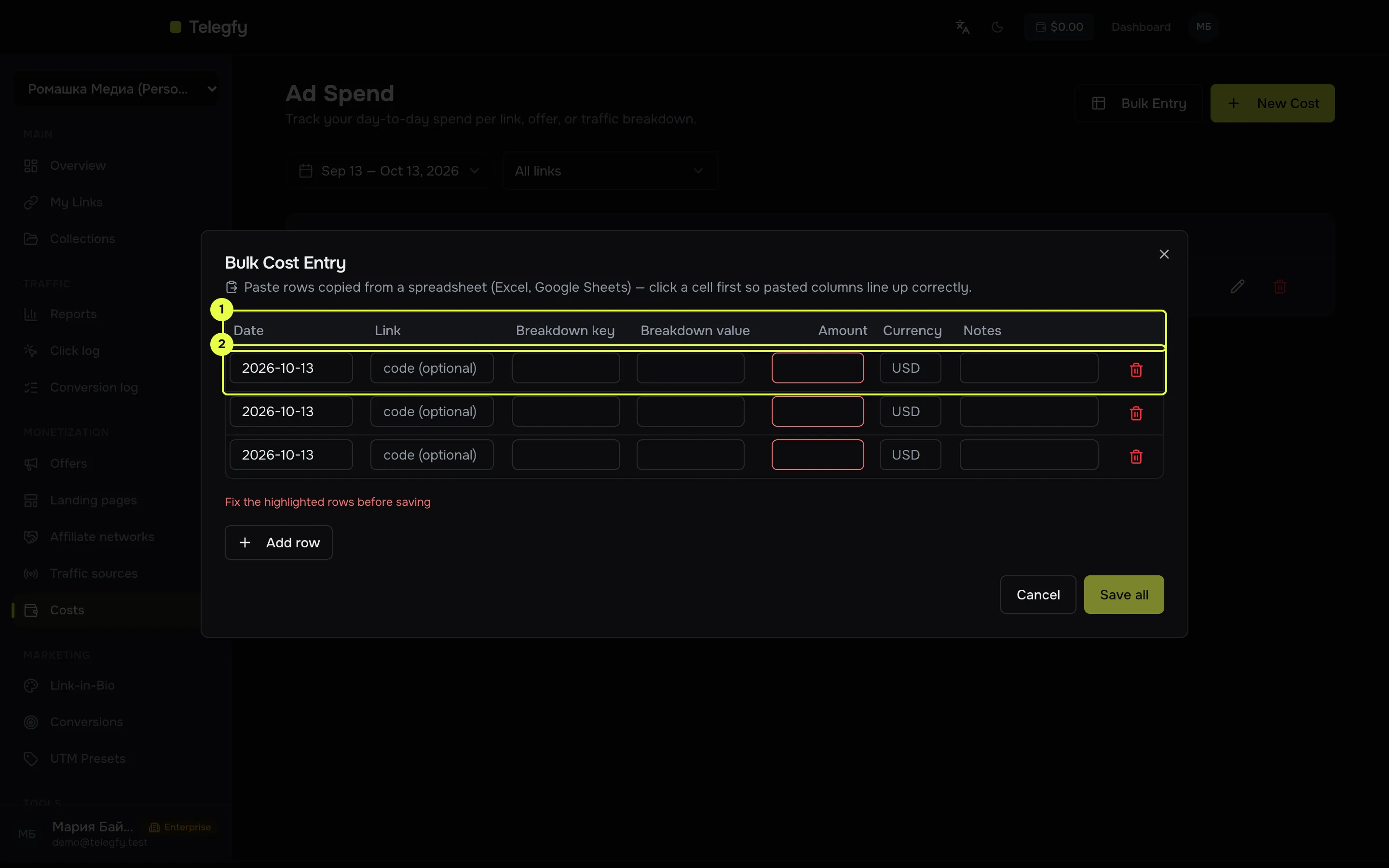
- Column headers — the order matters; paste maps by position.
- Rows — one per day. Use “Add row” and “Save all” below the table.
Two cost models
Section titled “Two cost models”| Model | Where it is set | How it is calculated |
|---|---|---|
| Manual records | This section | Record amount, spread over the days of its period. |
| Auto per-click cost | Click intake (/dashboard/settings/click-settings) |
None, a fixed cost per click (CPC), per 1000 clicks (CPM), or a value from a URL parameter. Recorded at click time. |
The two never add up. If a report group has a manual amount, that amount is used. The auto cost applies only to groups without manual cost.
Details on which reports pick up manual records and how amounts are split by day are in Reports.
Currency
Section titled “Currency”Records in another currency are converted to the base currency at the rate of the record’s day. If no rate exists, the report shows a mixed-currency warning. Rates are in FX rates.
Access
Section titled “Access”- A member with Hide financials sees no costs at all.
- A member with Own entities only sees records they created, and records for the links they are allowed to see. Records without a link are not visible to them.
See buyer access.
| Method | Path | Scope |
|---|---|---|
GET |
/api/v1/costs?from=&to=&linkId= |
costs:read |
POST |
/api/v1/costs |
costs:write |
PUT |
/api/v1/costs/bulk |
costs:write, body { "records": [...] }, up to 500 records; upsert by identity set, see above |
PATCH |
/api/v1/costs/:id |
costs:write |
DELETE |
/api/v1/costs/:id |
costs:write |
Create fields: linkId, breakdownKey, breakdownValue, periodStart, periodEnd, amount, currency, source, notes.
POST /api/v1/costs and PATCH /api/v1/costs/:id with an identity set that another record already has return 409 Conflict. To update an existing record, use PUT /costs/bulk.