
Google Ads
In Google Ads, labels are passed with ValueTrack, and a click is identified by the gclid parameter. Telegfy stores gclid on the click and can send offline conversions to Google Ads, but only when the click has a gclid.
ValueTrack macros
Section titled “ValueTrack macros”| Macro | What is filled in | Limits |
|---|---|---|
{campaignid} |
Campaign ID | Works everywhere |
{adgroupid} |
Ad group ID | Not in Performance Max |
{creative} |
Ad ID | Not in Performance Max |
{keyword} |
The keyword | Empty for campaigns without keywords |
{matchtype} |
Match type: e, p, b, a |
|
{network} |
Network: g (Search), s, d, ytv and others |
Not in Demand Gen |
{device} |
Device: m, t, c |
|
{placement} |
The site of the click (Display) | Not in Demand Gen |
{gclid} |
Google’s click ID | Added by auto-tagging |
The full list of macros and their conditions is in Google’s help. The limits for Performance Max and Demand Gen narrow the set considerably.
The link in Telegfy
Section titled “The link in Telegfy”Create the link under “My Links” → “Create Link”. Pick the Google Ads traffic source in the “Traffic source” field, if you have set one up.
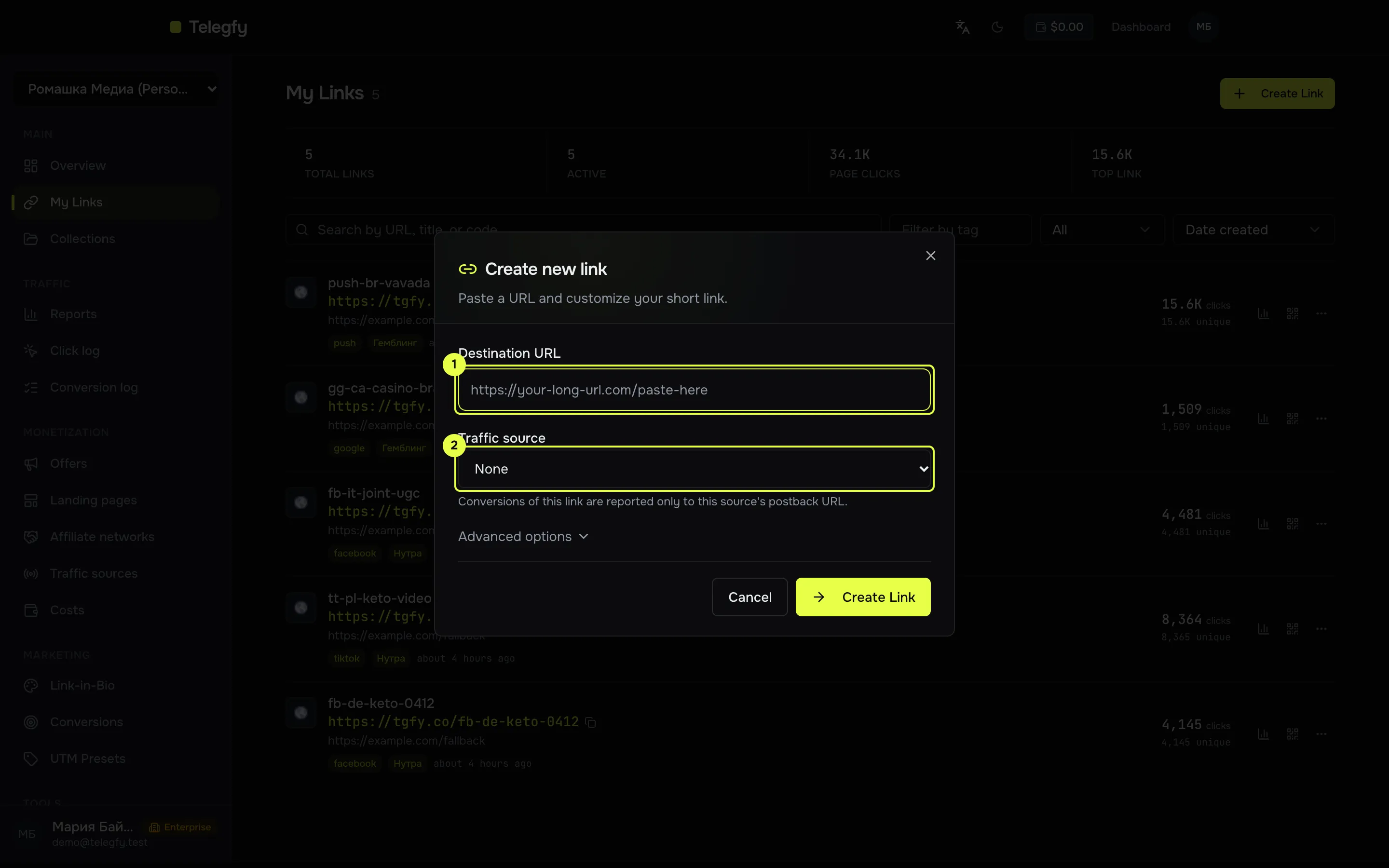
- Destination URL: the offer or landing address.
- Traffic source.
-
Turn on auto-tagging.
In the Google Ads account settings, turn on “Auto-tagging”. Google then adds
gclidto the address of every click. Without it there is nogclid, and offline conversions will not be sent. -
Set the final URL.
In the ad, enter the Telegfy short link as the “Final URL” and add the labels as parameters:
https://<domain>/<code>?sub_id_1={campaignid}&sub_id_2={adgroupid}&sub_id_3={creative}&sub_id_4={keyword}&sub_id_5={matchtype}&sub_id_6={network}&sub_id_7={device}For Performance Max, remove
{adgroupid},{creative}and{keyword}. These macros are not supported there. -
Check the click.
Open the link from the ad (or use the ad preview) and confirm the click appears in Telegfy. In the click log (Pro),
sub_id_1should hold the campaign ID. -
Set up offline conversions (optional).
In Google Ads, create a conversion action of type “Import”. In Telegfy, open “CAPI integrations” → Google Ads, and enter the Customer ID, Conversion Action ID, Developer Token, OAuth Client ID, Client Secret and Refresh Token. The Login Customer ID is needed if the account is managed through an MCC.
Then choose the statuses to send. A status with no mapping is not sent.
What is sent to Google Ads
Section titled “What is sent to Google Ads”- A conversion goes out only for a click that has a
gclid. If there is nogclid, the conversion is skipped. It is not sent with our internal ID. - Telegfy gets the access token by itself from the refresh token. You do not renew it manually.
- The integration has not been tested against the live API. Before you launch, check that the offline conversion appears in Google Ads.
Common mistakes
Section titled “Common mistakes”- No
gclidon the click. Auto-tagging is off, or the final URL dropped the parameter. Check both. - Labels are empty in Performance Max. Some macros are not supported there. See the table.
- Google rejects the conversion. The conversion action is not of type Import, or the refresh token has expired or was issued for another OAuth app.
- The conversion was not sent. Check the status mapping, and that the click has a
gclid.
Read next
Section titled “Read next”- Conversion API: more on providers and fields.
- Campaigns and links: how sub_ids work.
- Facebook Ads and TikTok Ads: the same scheme for other platforms.