
Click log
The click log lists every click on your links. Open it when a report looks wrong and you need the source: where the traffic came from, which sub_id was passed, which flow matched.
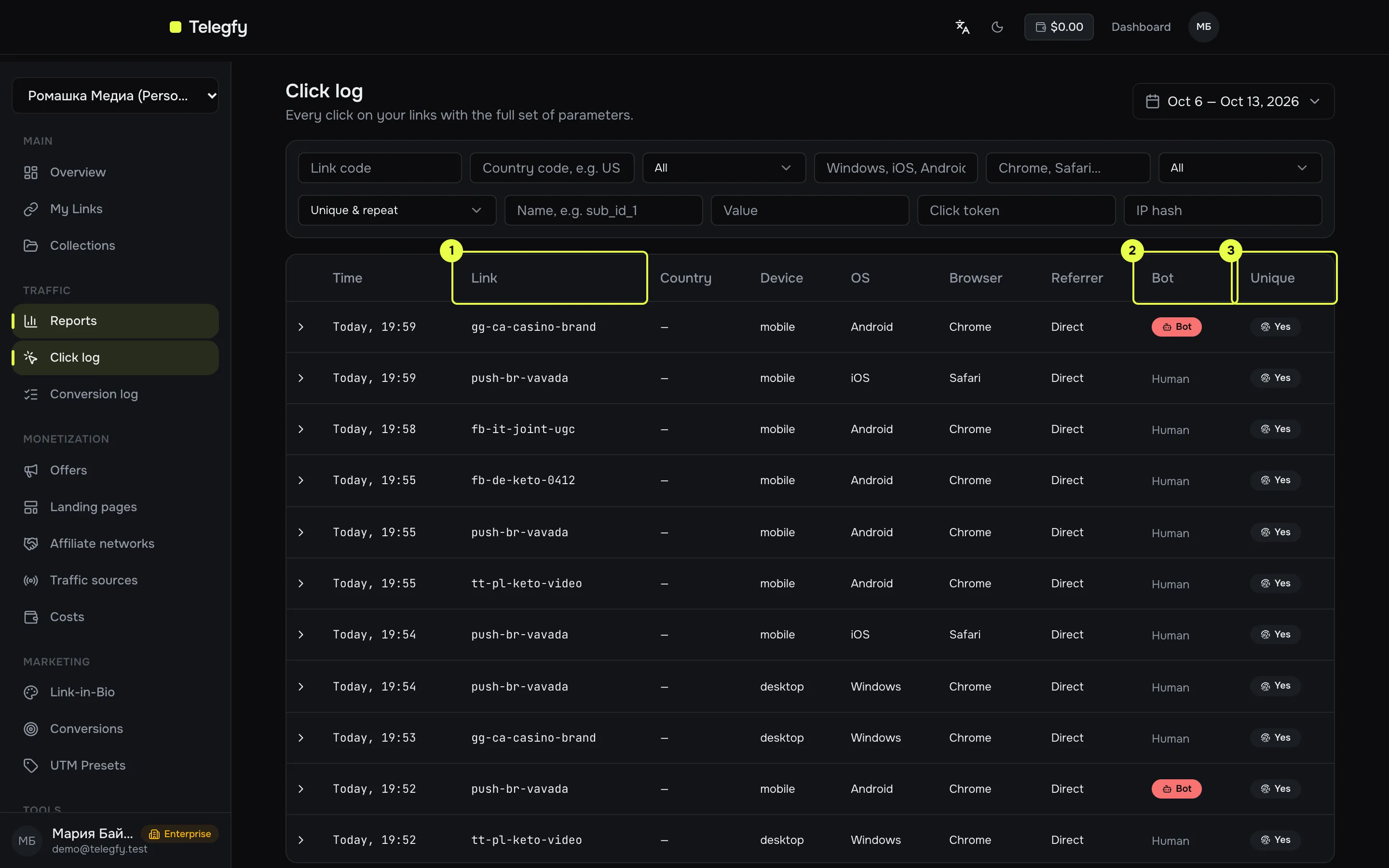
- Link — the code or alias of the link the click came through.
- Bot — “Bot” or “Human” label. Filter: All / Bots only / Exclude bots.
- Unique — click uniqueness. Filter: All / Unique only / Repeat only.
Filters
Section titled “Filters”| Filter | How it works |
|---|---|
| Period | Default 7 days. |
| Link code | Exact match. |
| Country | Exact match on the country code. Case does not matter: us and US return the same result. |
| Device, OS, browser | Exact match. Case does not matter: Mobile and mobile return the same result. |
| Bot, unique | See above. |
| Sub ID | Enter the name (sub_id_1 … sub_id_30) and optionally a value. With an empty value it finds clicks where the parameter was passed. |
| Click token | Exact match on the click UUID. |
| IP hash | Exact match on the IP hash. The raw IP is never shown. |
25 rows per page. The footer shows “Total clicks: N”.
Expanded row
Section titled “Expanded row”Click a row to see details:
- Click token — the click UUID. It is the same value as the
{{click_id}}macro and the_la_ctparameter. Conversions are matched on it. - IP hash, city, language.
- Matched rule — which flow handled the click.
- Target URL — where the visitor was sent.
- Sub IDs — every
sub_id_Nandutm_*passed. If none, it says “No sub IDs were passed”.
An empty referrer is shown as “Direct”.
What the log does not show
Section titled “What the log does not show”- Cost per click and the raw IP.
- No CSV export. For a file, use the report builder grouped by the dimensions you need.
GET /api/v1/analytics/clicks — reports:read scope. Parameters: from, to, code, country, device, os, browser, bot, isUnique, subIdName, subIdValue, clickToken, ipHash, limit (max 500), offset.
Related
Section titled “Related”- Conversion log — conversions matched by click token.
- Reports — aggregates over the same data.